
Add an email signature
Updated For SmarterMail Build 7692

A signature is a block of text placed at the bottom of your emails, for example your name, job title, phone number and company logo. You can create a signature for every user in your domain, or for your own account only.
Signature for every user (domain admin)
Section titled “Signature for every user (domain admin)”Use this to give every staff member the same company signature. You need the domain admin account.
-
Log in with the domain admin account.
-
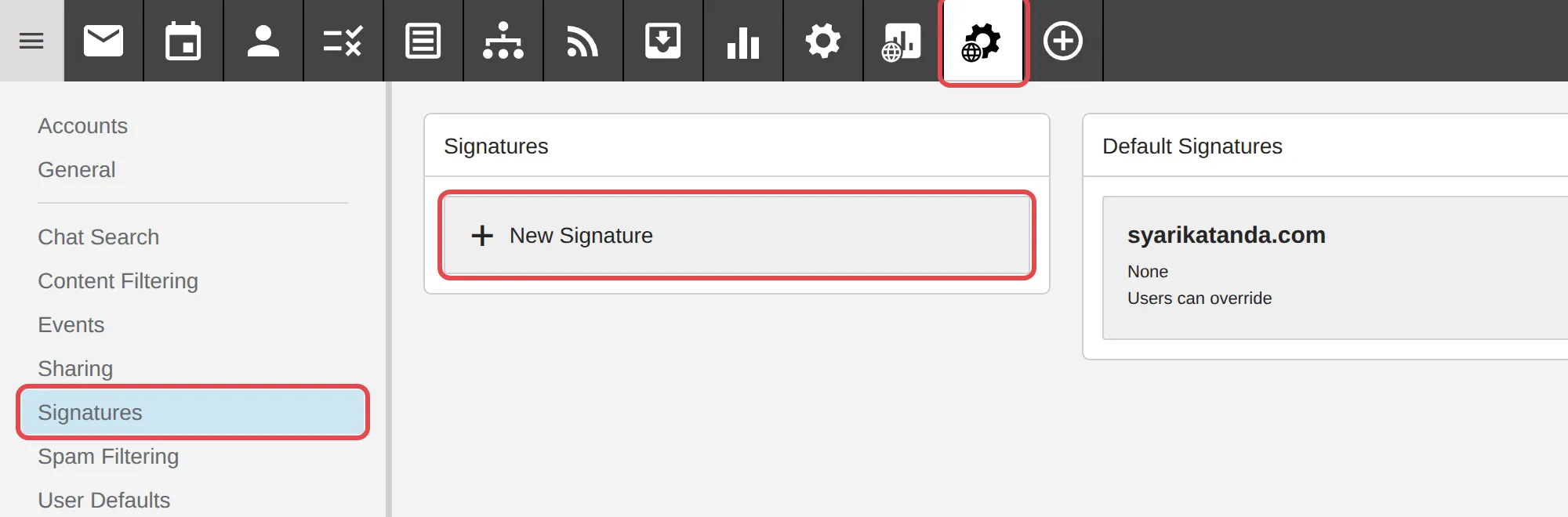
Click Domain Settings, then Signatures, then New Signature.
-
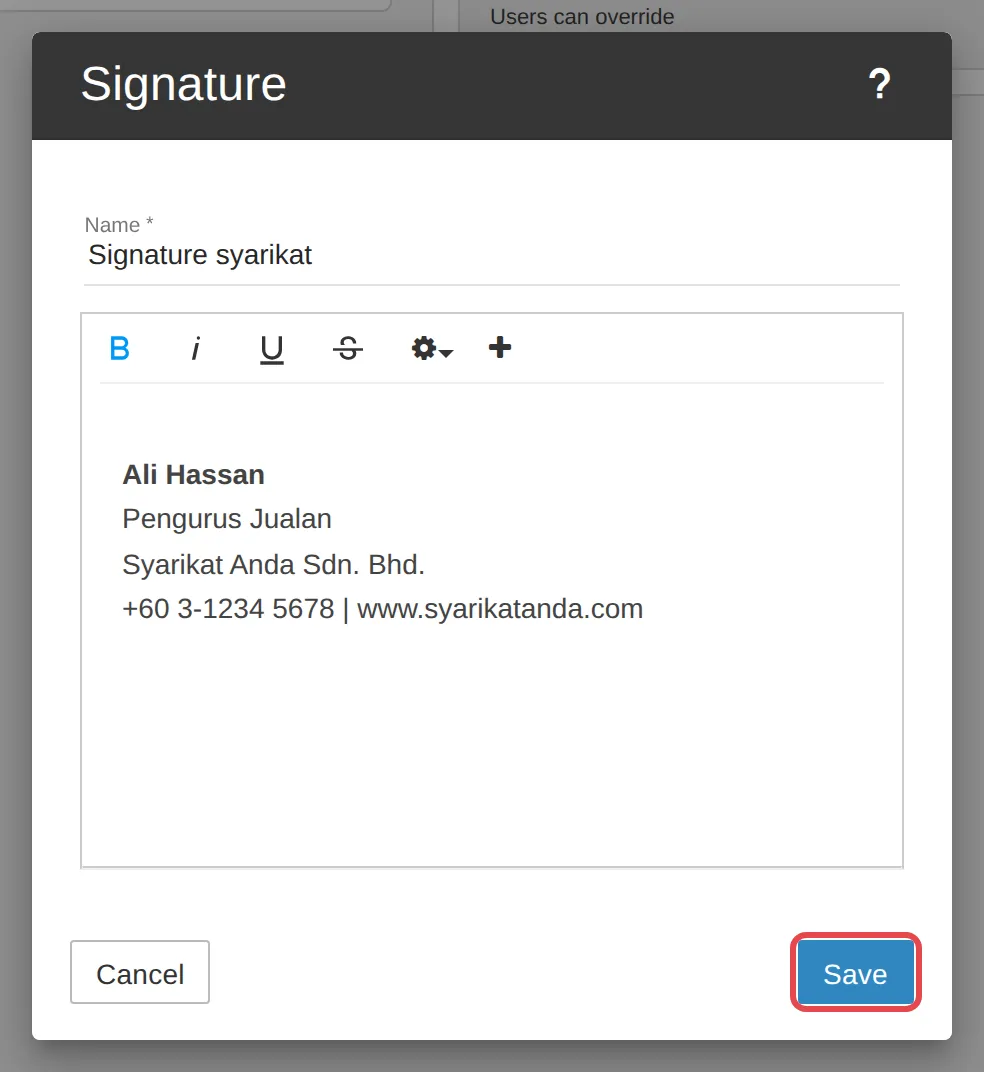
Enter a Name for the signature and type the signature content, then click Save.
-
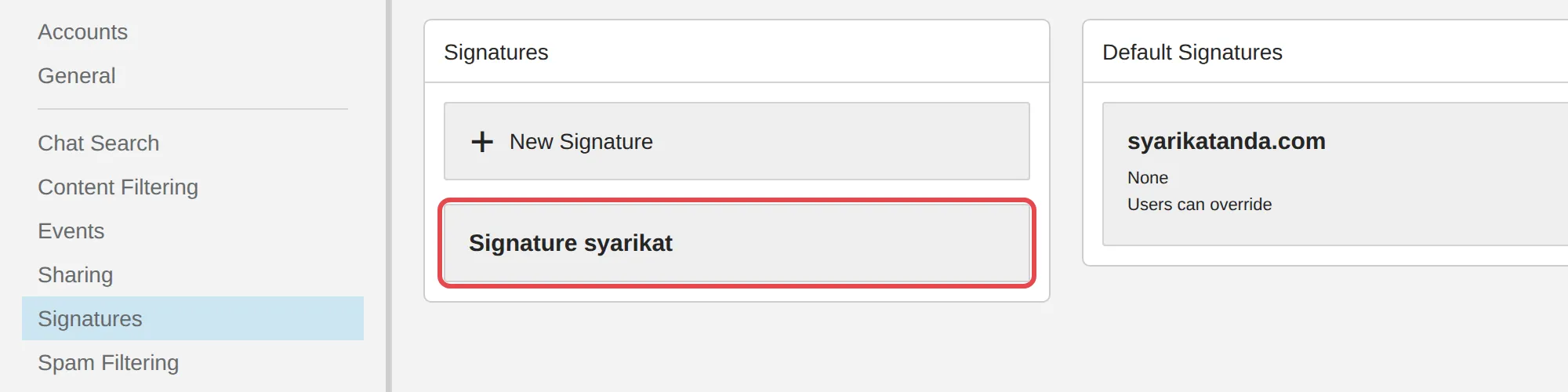
The saved signature is shown under + New Signature.
-
To add it to every user’s emails automatically, click your domain in the Default Signatures card. Choose the signature, then click Save. Leave Allow users to override this selection turned on if users may choose their own signature.
Signature for your account only
Section titled “Signature for your account only”Any user can do this, and it only changes emails sent from their own account.
-
Log in to webmail with the account you want to set the signature for.
-
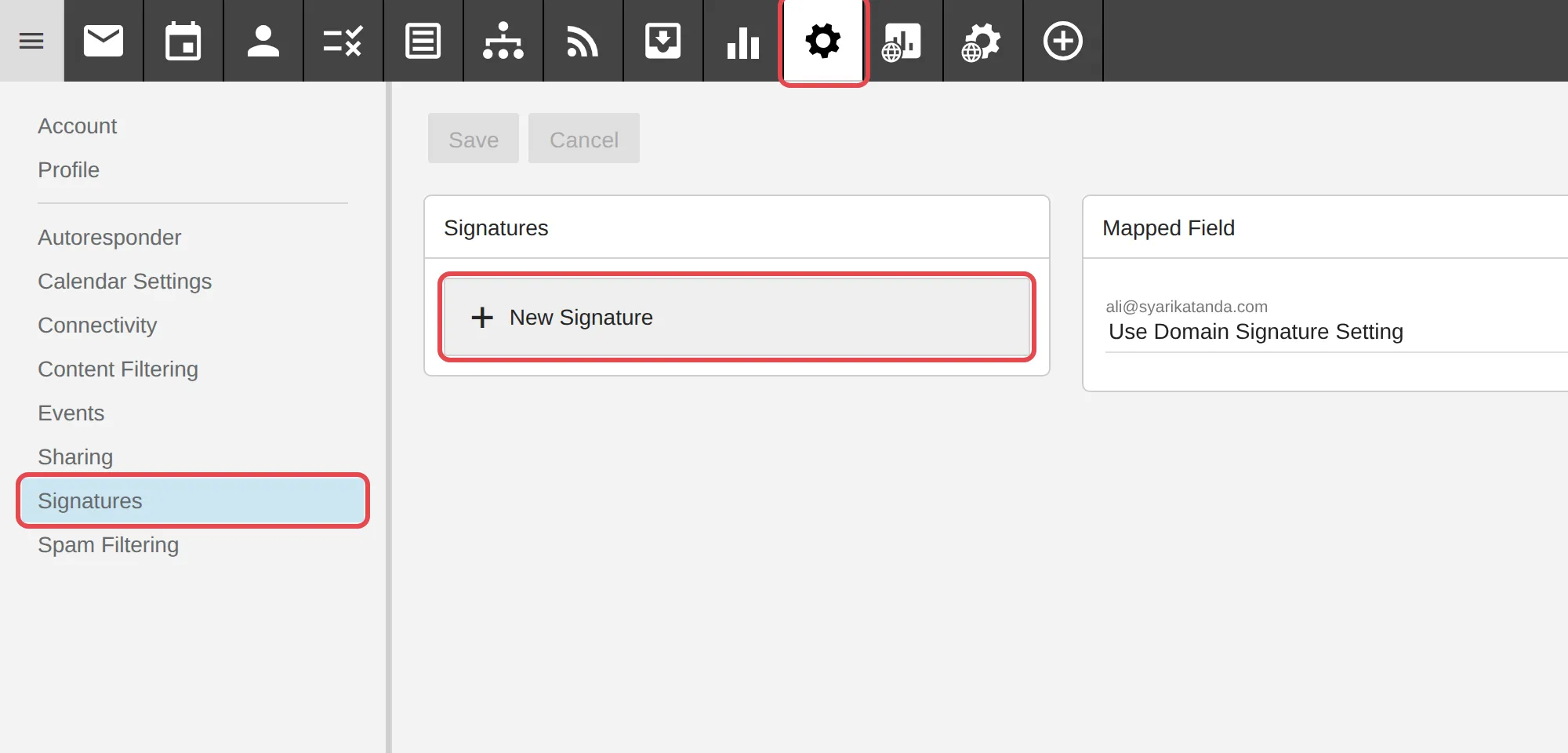
Click Settings, then Signatures, then New Signature.
-
Enter a Name for the signature and type the signature content, then click Save. Click the + symbol to add an image or link.
-
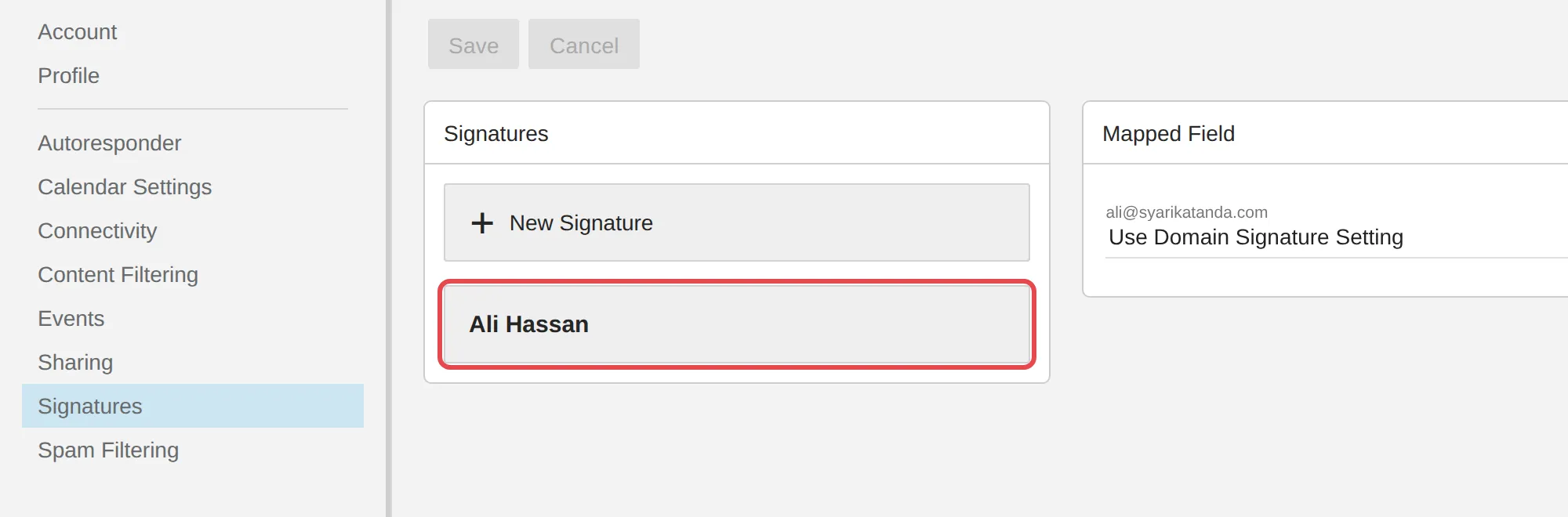
Your signature is shown under + New Signature.
-
In the Mapped Field card, click the field under your address and choose the signature to add to your emails automatically. Click Save at the top.
Choose a signature when writing an email
Section titled “Choose a signature when writing an email”The signature set in Mapped Field (or the domain default) is added to new emails automatically. If you have two or more signatures, you can choose a different one for each email.
-
Click the Email icon, then click New.

-
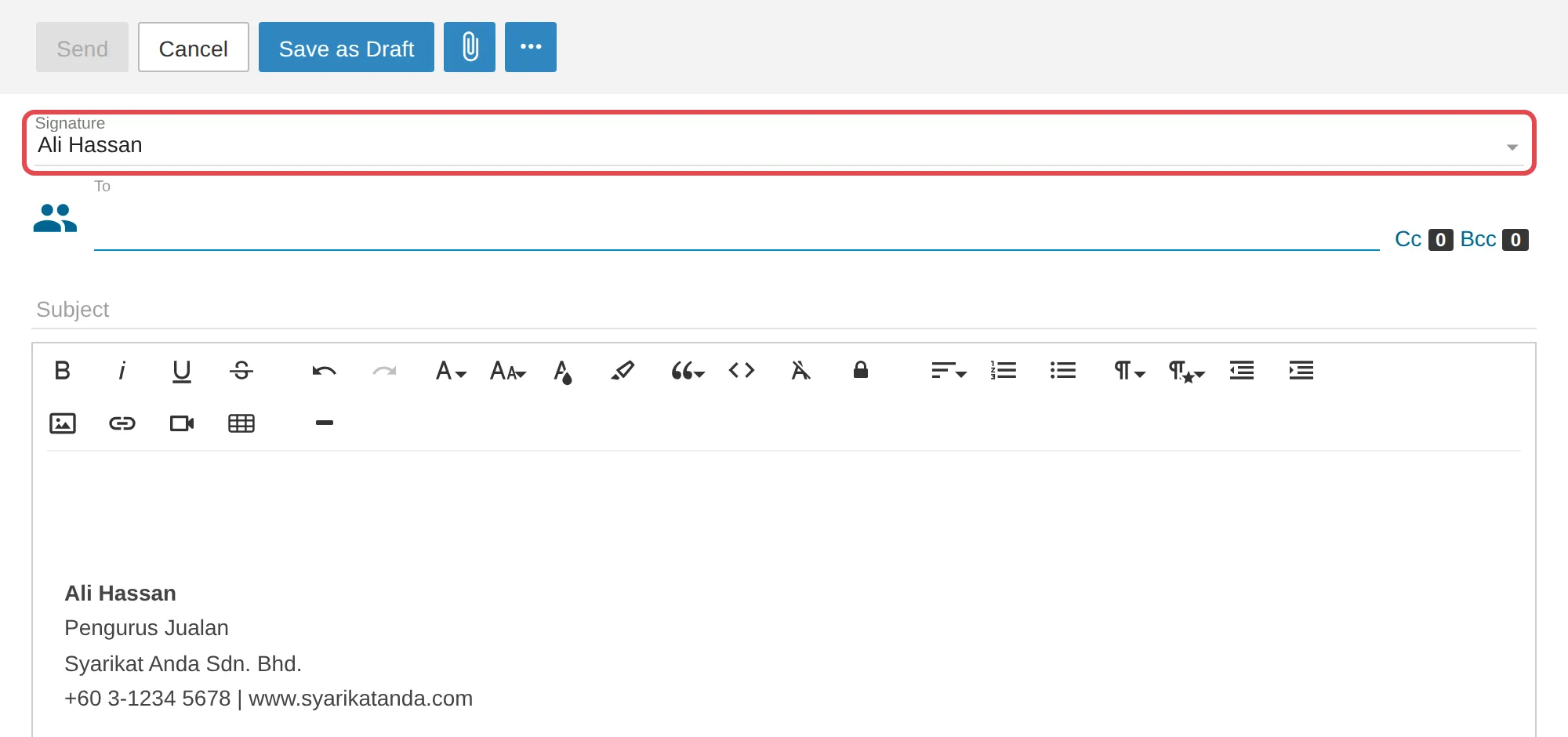
Click the Signature field above To. This field shows only when your account has two or more signatures.
-
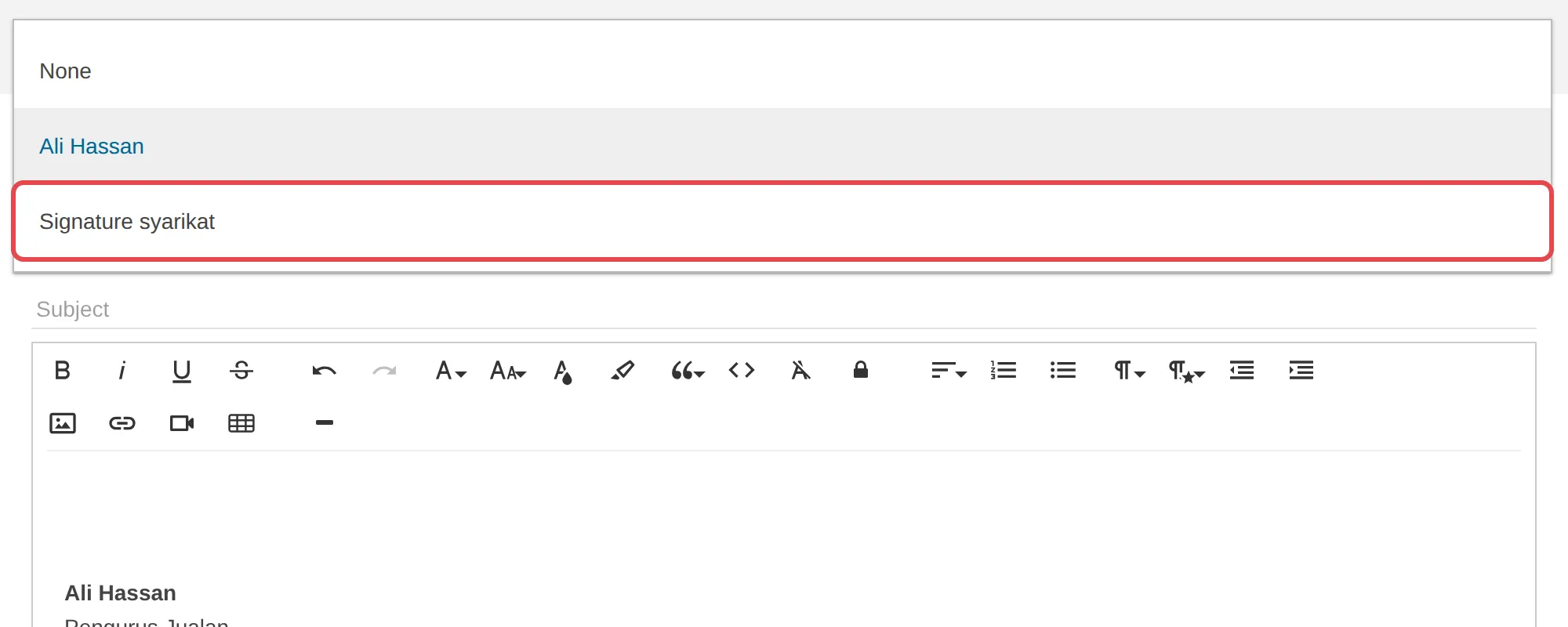
Choose the signature you want. It appears in your email. Choose None for no signature.
Still stuck
Section titled “Still stuck”WhatsApp our support team at +60 16-916 3324.
Common issues
Can I put my company logo in the signature?
Yes. While writing the signature, click the + symbol to insert an image, link, video or email variables.
My signature does not show up in new emails.
Click Settings, then Signatures. In the Mapped Field card, choose the signature for your address, then click Save. If you have two or more signatures, you can also pick one in the Signature field above To while writing.
What is the difference between a domain signature and a personal signature?
A domain signature is created by the admin in Domain Settings and can be used by every account in the domain. A personal signature is created in Settings and is for your account only.
Was this article helpful?
Thanks for your feedback.
Sorry this didn't help. WhatsApp us and we'll sort it out with you.