
Get reminders for calendar appointments in webmail
Updated For SmarterMail Build 7692

Each appointment has its own reminder. Webmail shows it as a pop-up while webmail is open, and can also email it to you.
Set a reminder on an appointment
Section titled “Set a reminder on an appointment”You choose the reminder when you create or edit an appointment.
-
Log in to webmail, click the Calendar icon on the top bar, and open an appointment or click New.
-
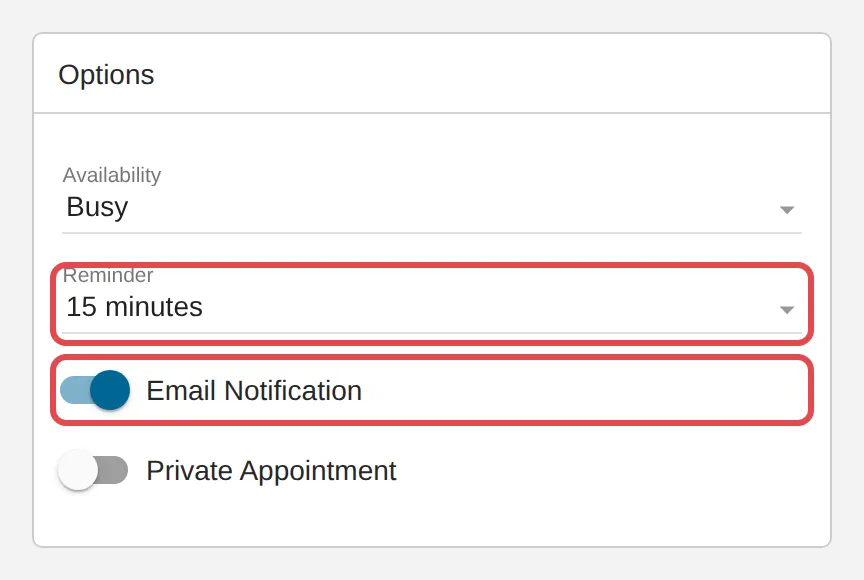
Under Options, open Reminder and choose how long before the start you want to be reminded, from 0 minute (at the start time) up to 2 weeks. Choose None for no reminder. New appointments start at 5 minutes.
-
To get the reminder by email as well, turn on Email Notification. It is sent to your own mailbox at the reminder time. This switch only shows when a reminder is set.
-
Click Save.
Snooze or dismiss a reminder
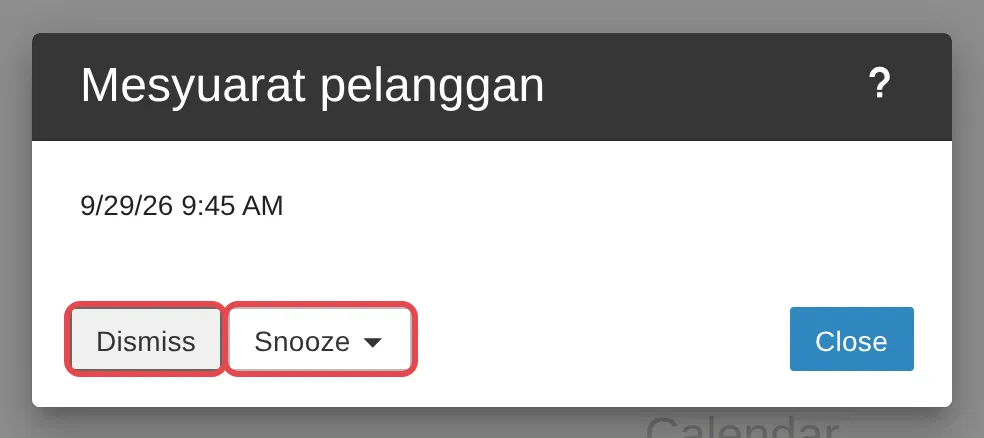
Section titled “Snooze or dismiss a reminder”When a reminder is due, a window with the appointment’s name and time pops up in webmail.
-
Click Dismiss when you no longer need the reminder. Close only closes the window.
-
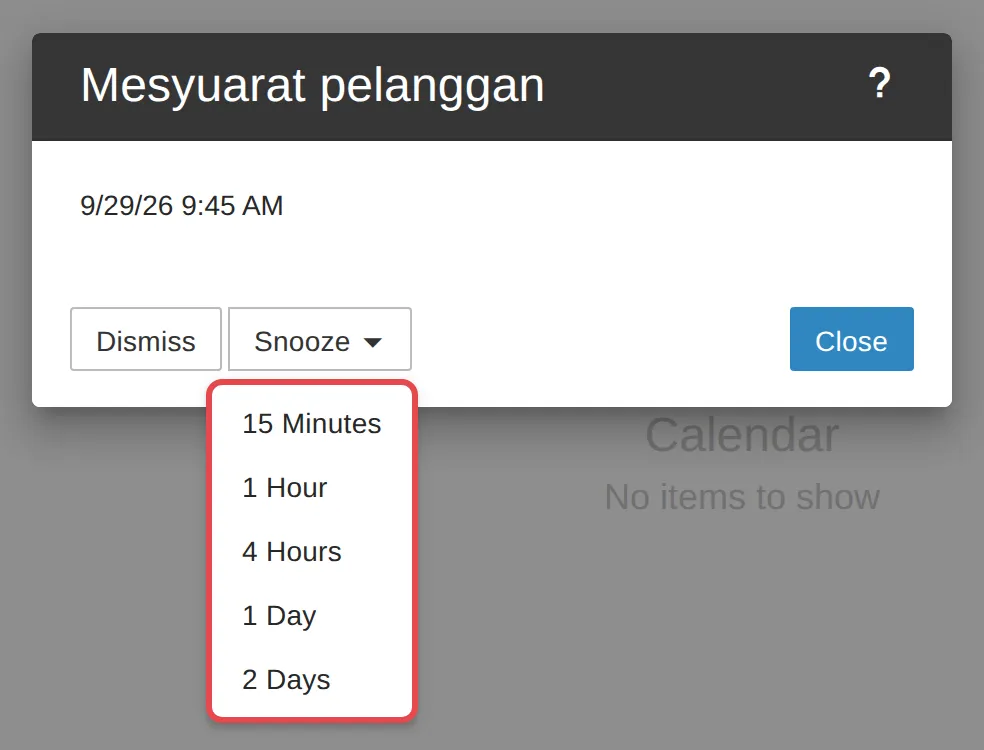
To be reminded again later, click Snooze.
-
Choose when: 15 Minutes, 1 Hour, 4 Hours, 1 Day or 2 Days.
Turn pop-up reminders on or off
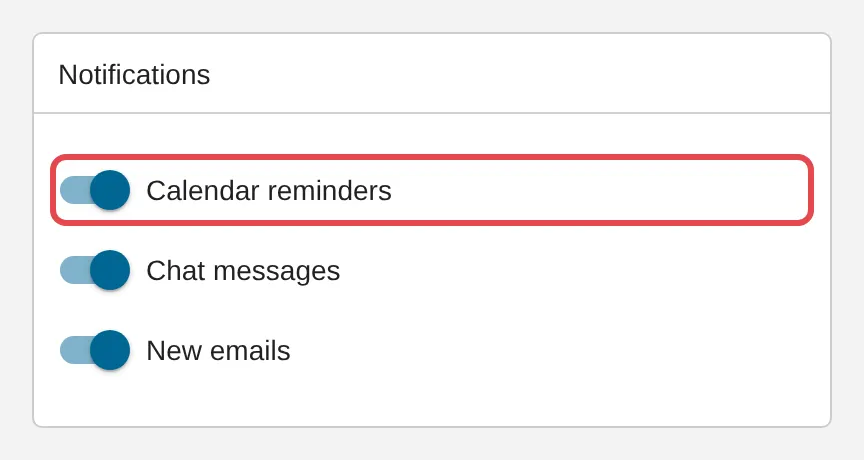
Section titled “Turn pop-up reminders on or off”Pop-ups are controlled for your whole account, not per appointment.
-
Click the Settings (gear) icon on the top bar. Account opens.
-
In the Notifications card, turn Calendar reminders on or off, then click Save.
The first time a reminder is due, your browser may ask whether webmail can show notifications. Click Allow, or reminders only appear inside the webmail tab.
Still stuck
Section titled “Still stuck”WhatsApp our support team at +60 16-916 3324.
Common issues
Can I change the default reminder for new appointments?
No. New appointments always start with a 5 minutes reminder, and there is no setting to change this. Choose a different Reminder on each appointment when you create it.
I did not get a pop-up reminder.
Pop-ups only show while webmail is open in your browser. Check that Calendar reminders is on under Settings > Account > Notifications, and that your browser allows notifications for webmail. To be reminded when webmail is closed, also turn on Email Notification on the appointment, or sync your calendar to your phone.
Do reminders show on my phone?
Yes, if your calendar is synced to the phone. See Sync your calendar with iPhone and Android.
Was this article helpful?
Thanks for your feedback.
Sorry this didn't help. WhatsApp us and we'll sort it out with you.