
Ask an AI about this page
 ChatGPT
 Claude
 Perplexity
 Google AI Mode
 Microsoft Copilot
 Grok
 Mistral Le Chat
Filter email by content
Content filtering sorts your email automatically. For example, every email with the word Order in the subject can go straight to an Orders folder.
-
Log in to webmail and click Settings.
-
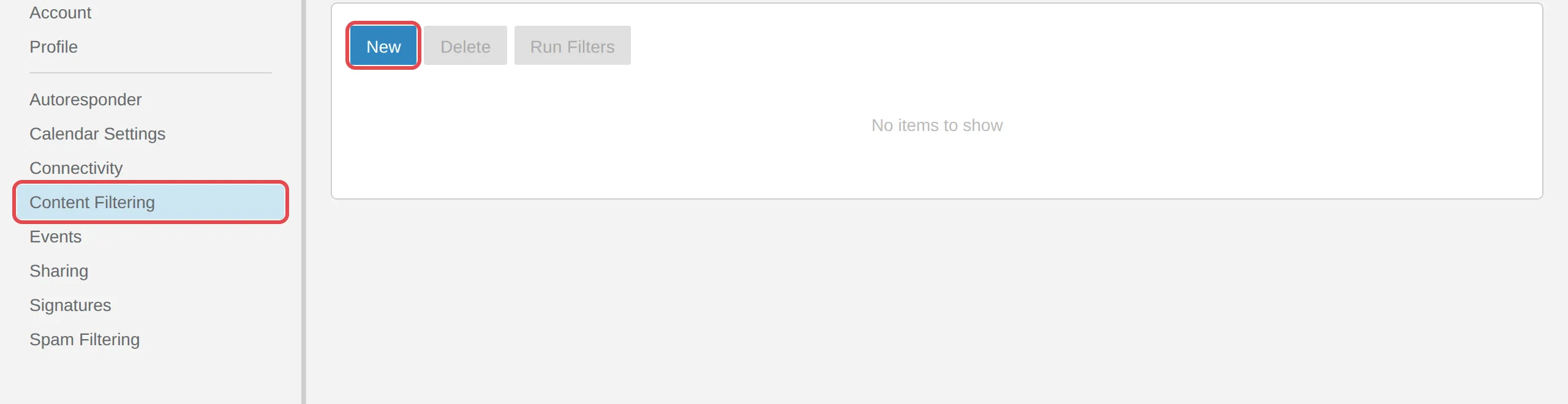
Click Content Filtering, then New.
-
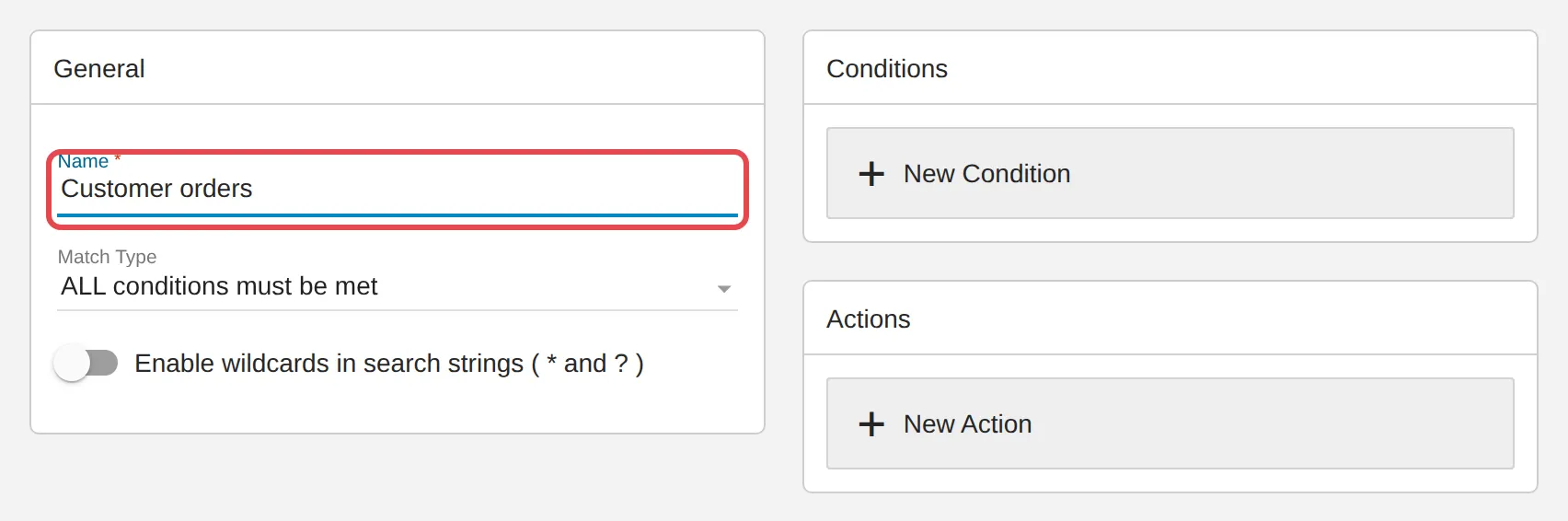
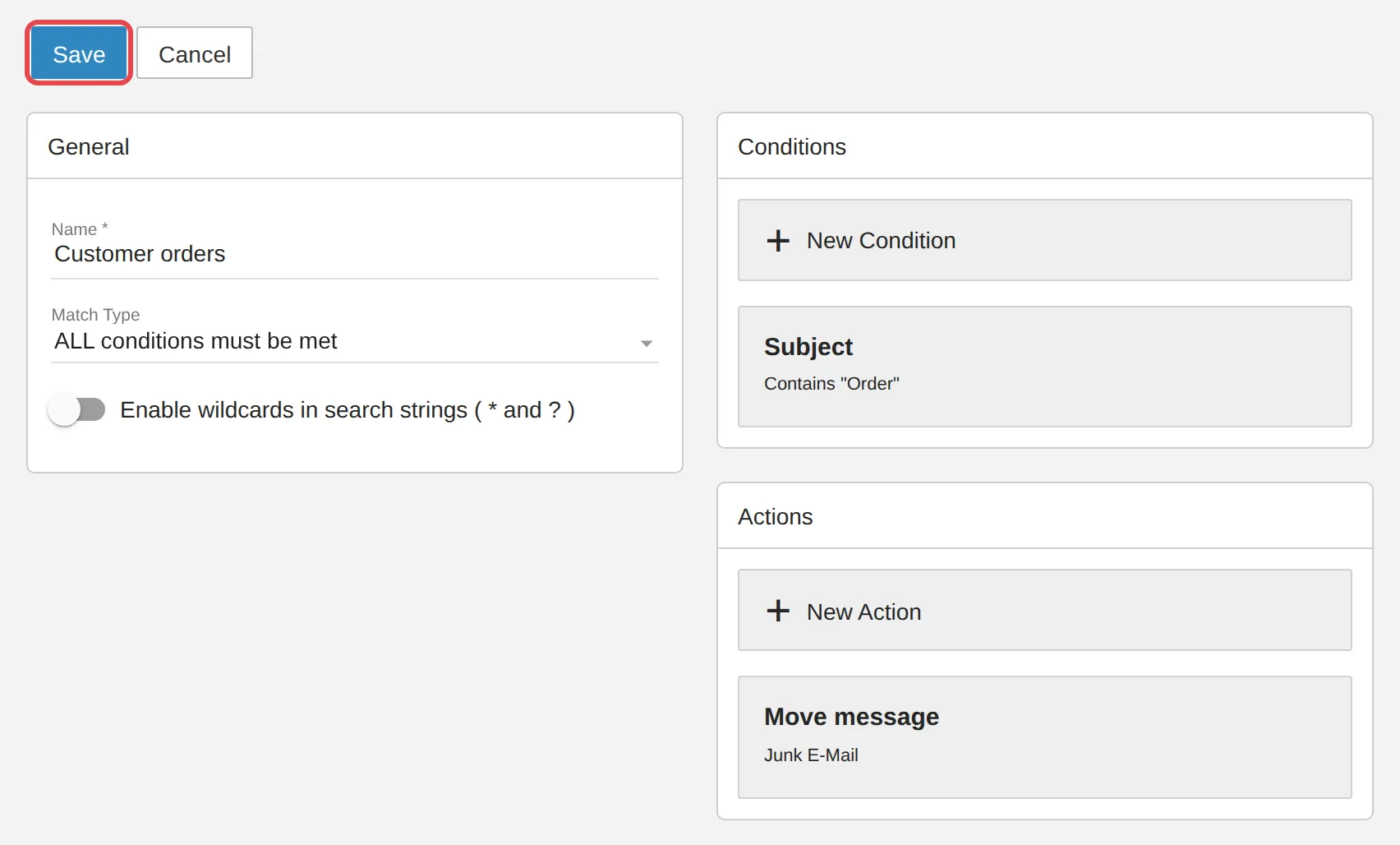
Give this filter a name that is easy to recognise.
-
Under Conditions, choose Contains specific words or phrases. Enter the word for the subject, for example
Order, then click Save.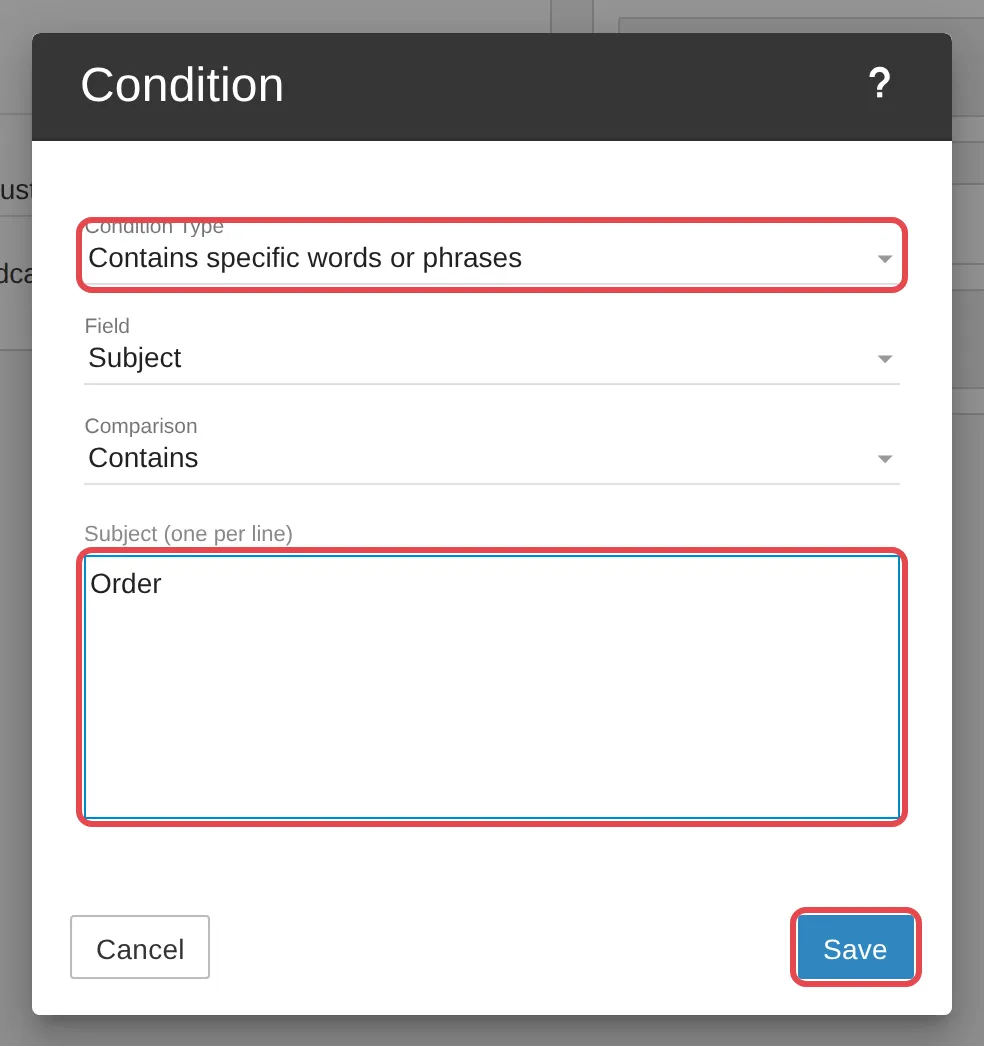
-
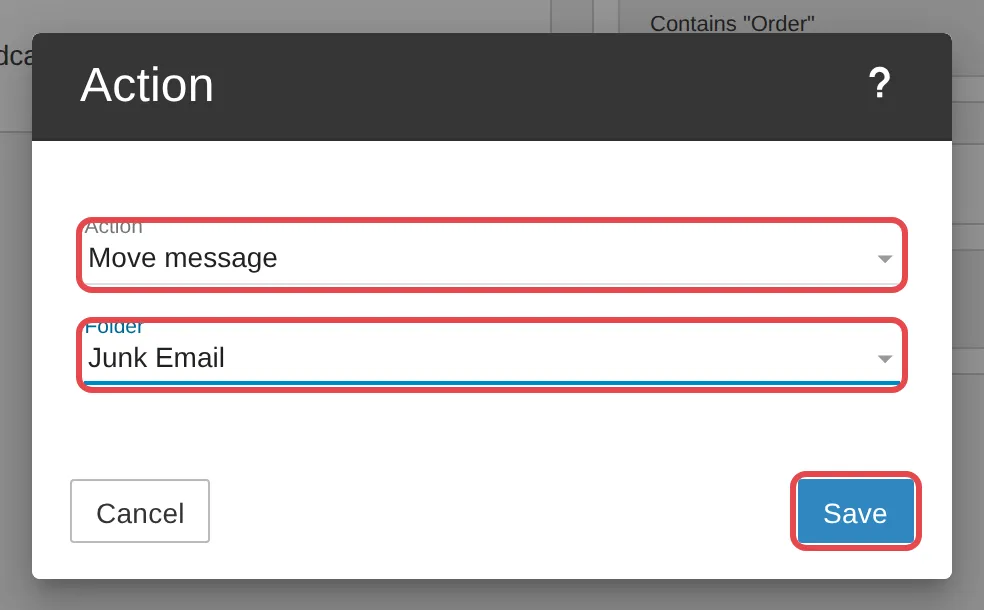
Under Actions, choose Move message, pick the destination folder, for example Junk Email, then click Save.
-
Click Save to save the filter.
Need a new folder first? See Organise your inbox with folders and flags.
Still stuck
Section titled “Still stuck”WhatsApp our support team at +60 16-916 3324.
Common issues
My filter does not work on old emails.
Content filtering only works on email that arrives after the filter is saved.
Was this article helpful?
Thanks for your feedback.
Sorry this didn't help. WhatsApp us and we'll sort it out with you.