
What Gemini in Google Workspace does & which plans have it
Updated For Google Workspace

Gemini is Google’s AI assistant, built into Google Workspace. It helps you write, summarise and find information in the apps you already use, and it comes with your Workspace plan.
Where you find Gemini
Section titled “Where you find Gemini”Gemini appears in two places:
-
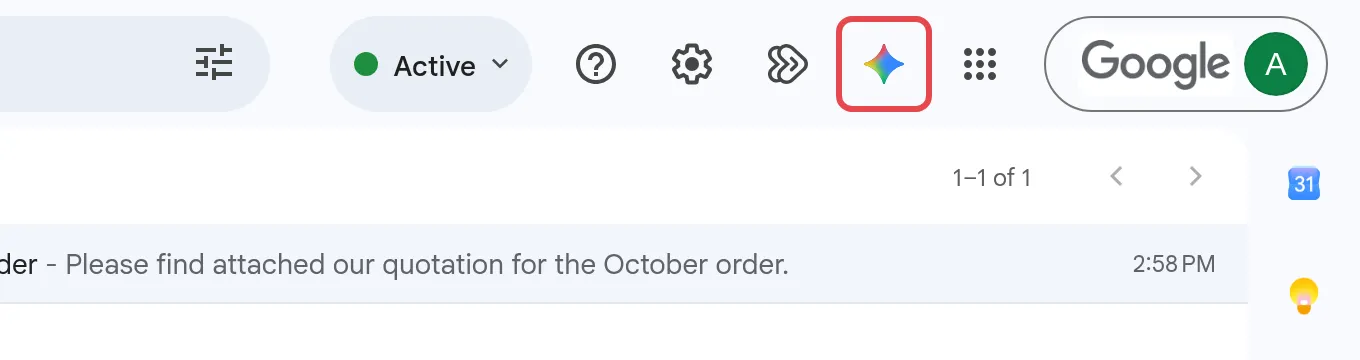
Inside Workspace apps. Look for the Ask Gemini icon (a star-shaped sparkle) at the top right of Gmail, Docs, Sheets, Slides and Drive. Some features appear right where you work, such as Help me write in a Gmail draft.
-
The Gemini app. A separate chat assistant at gemini.google.com, plus the Gemini mobile app. See use the Gemini app with your work account.
Google also includes Gemini Notebook (formerly NotebookLM), a research tool that answers questions from files you upload. See Gemini Notebook for work.
What Gemini can do in each app
Section titled “What Gemini can do in each app”These are the main features on Business Standard and Business Plus:
- Gmail: draft emails with Help me write, summarise long threads, suggested replies, proofreading and Help me schedule. See Gemini in Gmail.
- Docs: write a first draft, rewrite or shorten text, summarise a document and generate images. See Gemini in Google Docs.
- Sheets: build tables, write and fix formulas, analyse data and use the
=AI()function. See Gemini in Google Sheets. - Meet: Take notes with Gemini (previously Take notes for me) writes the meeting notes into a Google Doc. See Gemini in Google Meet.
- Slides, Drive, Chat, Forms and Vids: create slides and images, summarise files and chats, build forms and make short videos.
Which plan includes what
Section titled “Which plan includes what”Google decides the features for each edition. This is the current split for the plans most of our customers use:
| Feature | Business Starter | Business Standard & Plus | Enterprise Standard & Plus |
|---|---|---|---|
| Gemini in Gmail (Help me write, summaries, suggested replies, proofread) | Yes | Yes | Yes |
| Gemini in Docs, Sheets, Slides, Drive & Chat | No | Yes | Yes |
| Take notes with Gemini in Meet | No | Yes | Yes |
| Gemini app with enterprise-grade data protection | Yes, lower limits on Pro models | Yes, higher limits | Yes, higher limits |
| Gemini Notebook | Yes, standard limits | Yes, higher limits | Yes, higher limits |
| Admin can turn Gemini on or off per app | No | No | Yes |
| Google Vids AI features | Yes | Yes | Yes |
Most features also come with usage limits that Google sets per plan and may change. For example, Business Starter users may see Pro models in the Gemini app, but with lower limits than higher plans. Education plans follow different rules. See Gemini for schools & government.
Getting more Gemini features
Section titled “Getting more Gemini features”To get Gemini in Docs, Sheets and Meet, move to Business Standard or higher. An upgrade moves every user in your company to the new plan, and Office Niaga arranges it for you, not the Admin console. Compare plans on our pricing page, then see Licences and renewal to order or upgrade.
Before you rely on Gemini
Section titled “Before you rely on Gemini”Gemini can make mistakes. Check names, figures, dates and anything legal or financial before you send or share what it writes. Your company data stays protected, as explained in how Gemini handles your company data.
Still stuck
Section titled “Still stuck”WhatsApp our support team at +60 16-916 3324.
Common issues
Do we have to buy a separate Gemini add-on?
No. Since 2025, Gemini features come with Google Workspace Business and Enterprise plans. The old Gemini Business and Gemini Enterprise add-ons are no longer sold. What you get depends on your plan.
I am on Business Starter. Why is there no Gemini in Google Docs?
Business Starter includes Gemini in Gmail, the Gemini app and Gemini Notebook, but not Gemini in Docs, Sheets, Slides, Drive, Chat or Meet. Those start from Business Standard. See Licences and renewal to upgrade.
Gemini is on our plan but I cannot see it. Why?
Gemini in Gmail, Docs and the other apps needs Workspace smart features turned on in your Gmail settings. Your admin may also have turned some Gemini features off. See turn Gemini on or off.
Was this article helpful?
Thanks for your feedback.
Sorry this didn't help. WhatsApp us and we'll sort it out with you.