
Ask an AI about this page
 ChatGPT
 Claude
 Perplexity
 Google AI Mode
 Microsoft Copilot
 Grok
 Mistral Le Chat
Create a temporary email address (disposable address)
A disposable address is a temporary email address that expires on its own. Email sent to it arrives in your mailbox, but your real address is not shown. It is useful for:
- signing up for product trials or webinars
- downloading documents or PDFs
- posting messages on forums
Create a temporary address
Section titled “Create a temporary address”You create the address in webmail, and it can last for up to 24 hours.
-
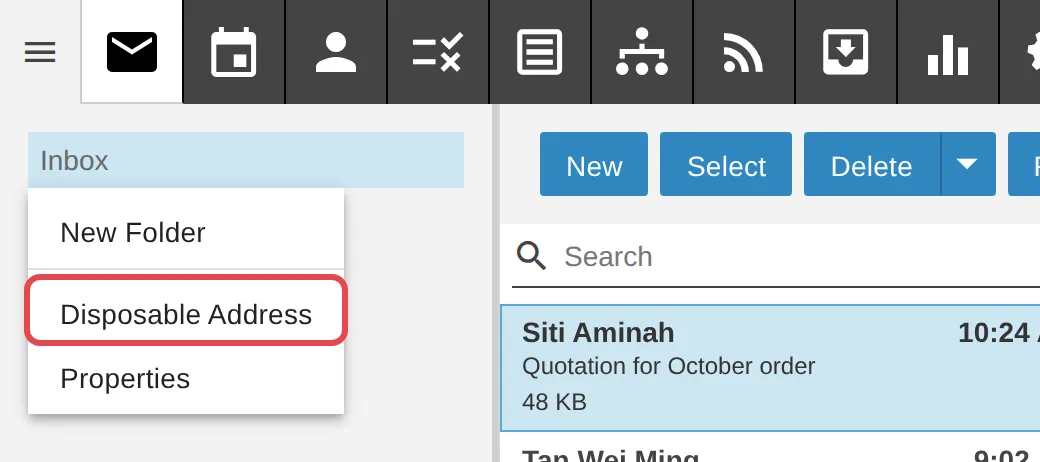
On the Email tab, right-click any folder, then click Disposable Address.
-
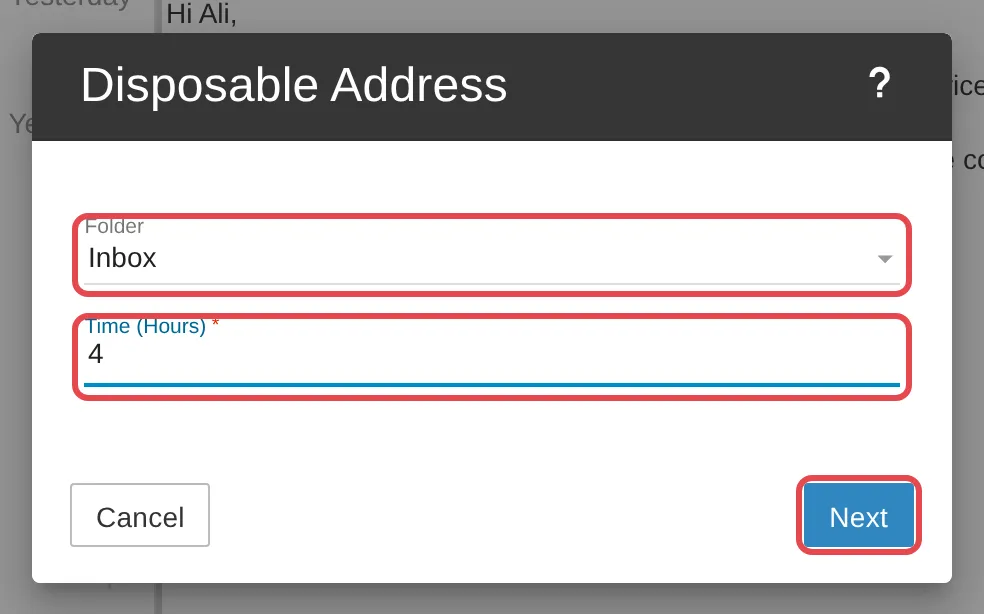
Choose the Folder that will receive the email. In Time (Hours), enter how many hours the address should work (up to 24). Click Next.
-
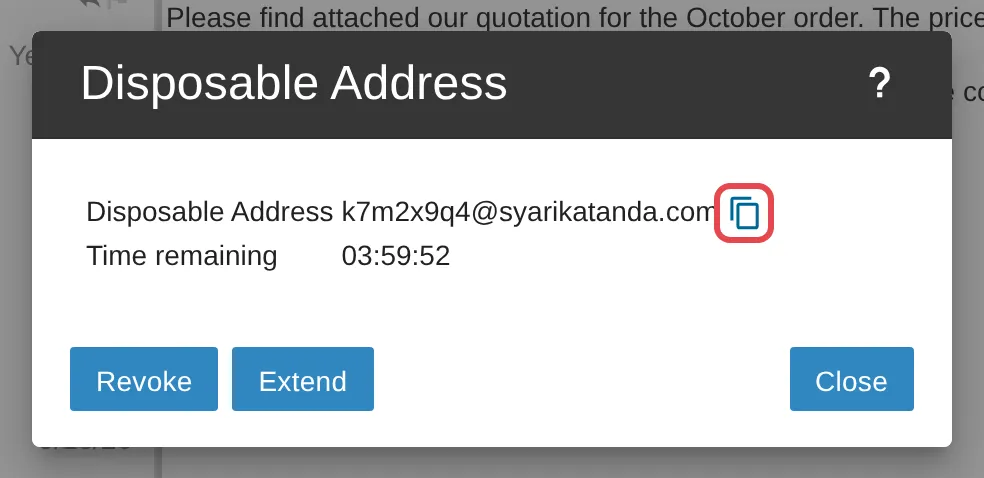
Your temporary address is shown, with the Time remaining. Click the copy icon beside the address to copy it, then paste it where you need it.
-
Click Revoke to stop the address straight away, Extend to give it more time, or Close to keep it running.
Still stuck
Section titled “Still stuck”WhatsApp our support team at +60 16-916 3324.
Common issues
How long can a temporary address be used?
Up to 24 hours. Enter the number of hours in the Time (Hours) field when you create it. Click Extend to give it more time. Once it expires, the address can no longer be used.
Was this article helpful?
Thanks for your feedback.
Sorry this didn't help. WhatsApp us and we'll sort it out with you.