
Use Google Drive & Docs offline
Updated For Google Workspace

With offline access on, you can keep working on Google Docs, Sheets and Slides during a patchy connection or a flight. Changes sync when you reconnect.
Before you start
Section titled “Before you start”Set this up while you still have internet, on the computer you will use offline.
- Use Google Chrome or Microsoft Edge, and not a private or incognito window.
- Install the Google Docs Offline extension and make sure it is turned on.
- Check that your computer has free space for the files.
Turn on offline access
Section titled “Turn on offline access”You only need to do this once on each computer.
-
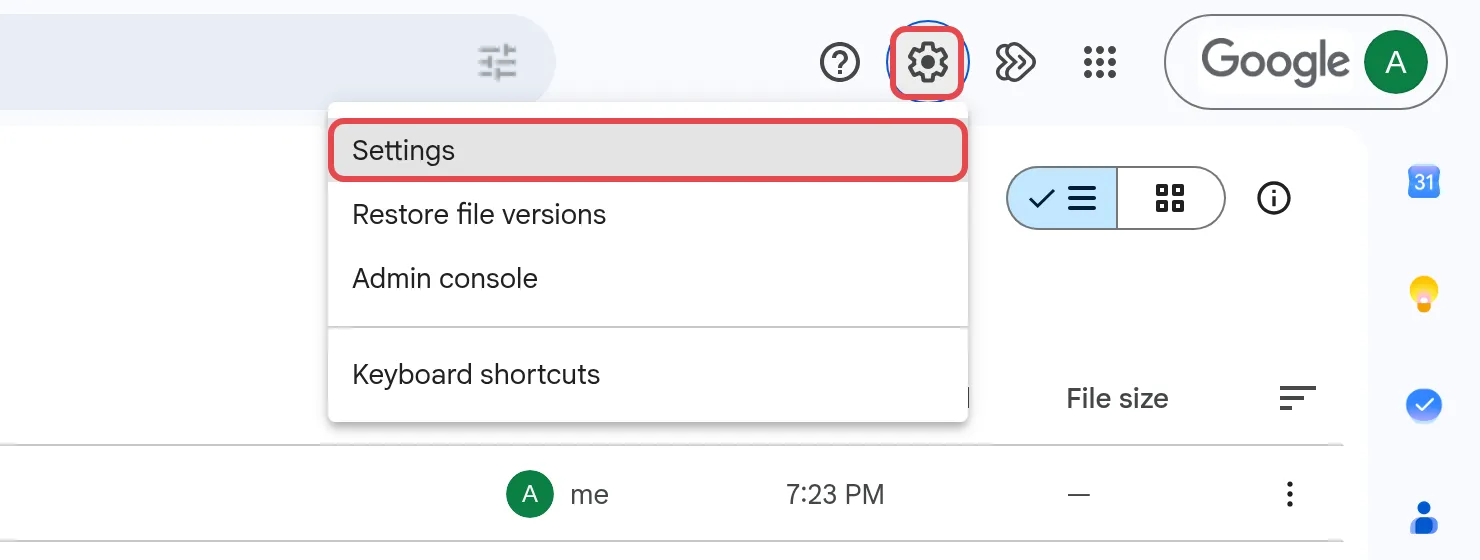
Go to Drive settings, or click the gear icon in Drive, then Settings.
-
Under Offline, tick Create, open and edit your recent Google Docs, Sheets, and Slides files on this device while offline.

-
In Chrome, if an Extension Needed box appears, follow it to install the Google Docs Offline extension, then come back and check the setting is ticked.
Drive then keeps your recently used Docs, Sheets and Slides ready to open offline.
Keep a specific file offline
Section titled “Keep a specific file offline”Mark a file you know you will need, such as a proposal you are presenting, so it is always there. Turn on offline access first (see above). Until then, Make available offline is greyed out, with the hint “Turn on offline options in settings”.
- In Google Drive, right-click the Google Docs, Sheets or Slides file.
- Click Make available offline.
To mark several files, hold Ctrl (Windows) or Command (Mac) while you click them. When offline, open Drive in the same browser and your offline files still open.
PDFs, Word & other files
Section titled “PDFs, Word & other files”The offline setting above only covers Google Docs, Sheets and Slides. For other files, use Google Drive for desktop.
- Open the Google Drive folder in File Explorer (Windows) or Finder (Mac).
- Right-click the files or folders you need.
- On Windows, click Offline access > Available offline. On a Mac, click Available offline.
A green tick shows the file is saved on your computer. If you chose Mirror files in Drive for desktop, all your My Drive files are already offline.
Still stuck
Section titled “Still stuck”WhatsApp our support team at +60 16-916 3324.
Common issues
I edited a file offline. When do my changes save?
They sync as soon as you are back online. If someone else changed the same file, the newer changes replace older ones, and you can see every change in the file's version history.
Offline mode is not working. What should I check?
Use Chrome or Microsoft Edge, not a private or incognito window. Make sure the Google Docs Offline extension is installed and turned on, and that you turned on offline access while you still had internet.
Should I turn on offline access on a shared computer?
No. Offline files are stored on that computer, so only turn it on for a computer that only you use.
Was this article helpful?
Thanks for your feedback.
Sorry this didn't help. WhatsApp us and we'll sort it out with you.