
Ask an AI about this page
 ChatGPT
 Claude
 Perplexity
 Google AI Mode
 Microsoft Copilot
 Grok
 Mistral Le Chat
Log in to webmail
Log in to Office Niaga Mail in your browser at mail.officeniaga.com. You need your full email address and your password.
How to log in
Section titled “How to log in”Webmail works in any web browser, on a computer or a phone.
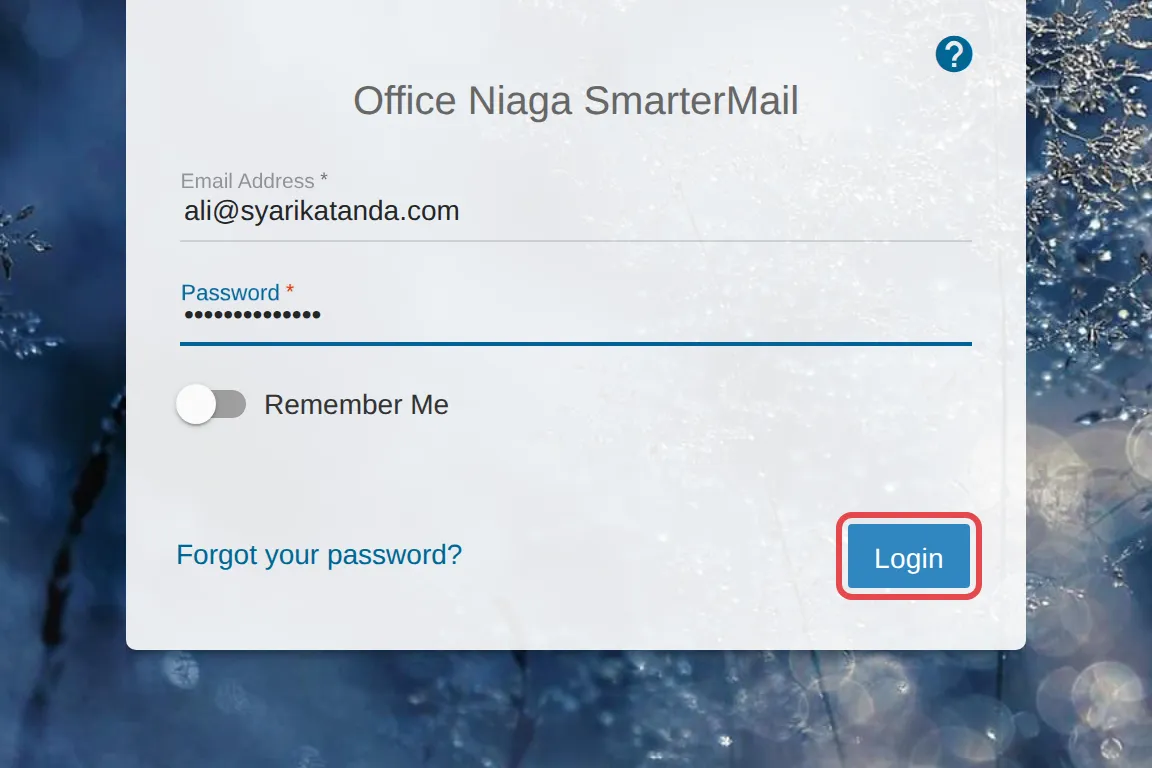
- Open mail.officeniaga.com in your browser.
- In the Email Address field, enter your full email address, for example
name@yourcompany.com. - Enter your Password.
- Click Login.
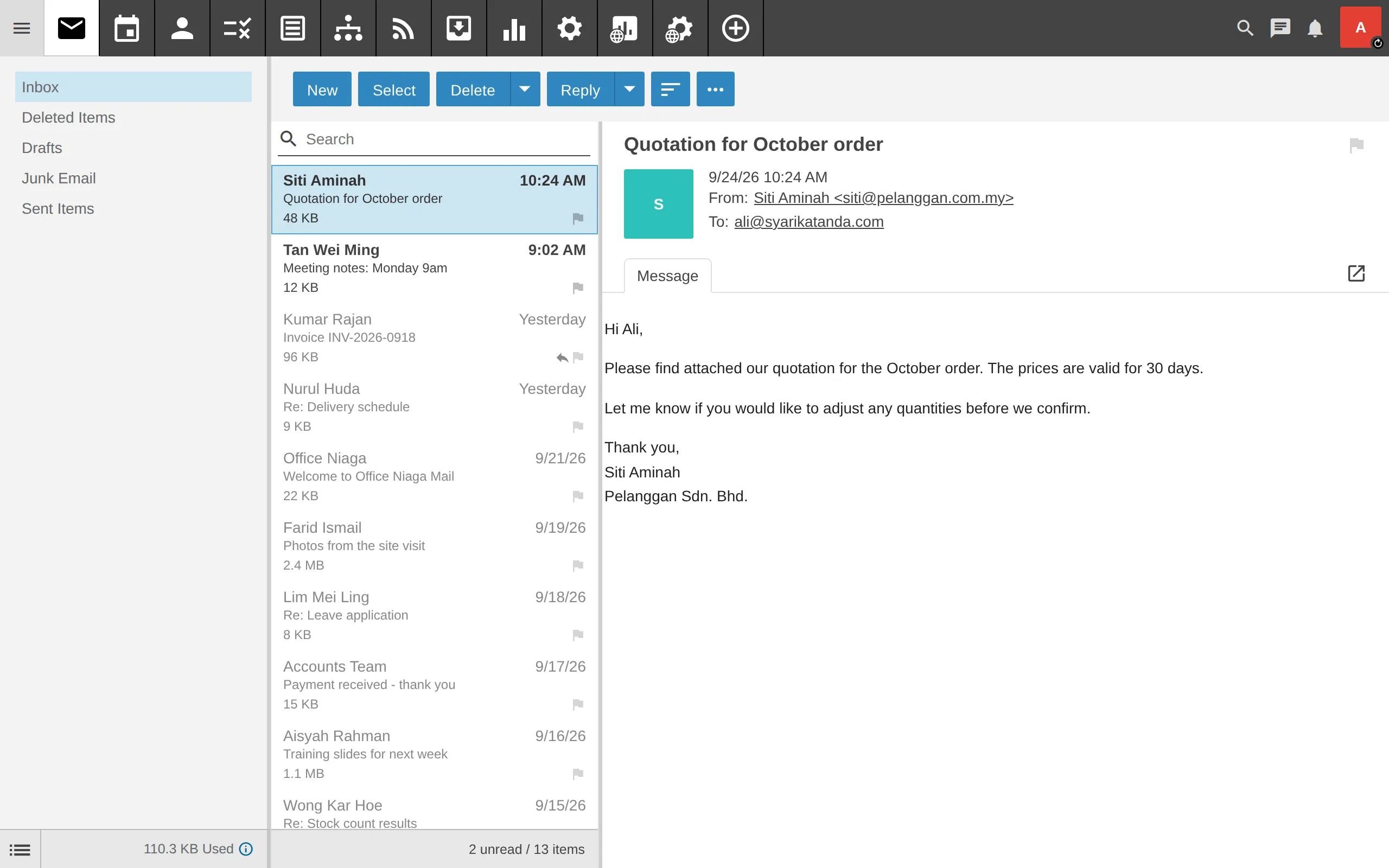
Once you are logged in, you are taken to the main email dashboard.
The Remember Me option
Section titled “The Remember Me option”Turn on Remember Me only on your own computer. Do not turn it on on a public computer or one you share with other people.
Still stuck
Section titled “Still stuck”WhatsApp our support team at +60 16-916 3324.
Common issues
I forgot my password. What should I do?
Click Forgot your password? on the login screen. If that does not work, ask your company's domain admin to reset your password - see Change or reset a password.
I cannot log in using incognito or private mode.
Webmail does not support browsers in incognito or private mode. Open a normal browser window and try again.
Old guides mention mail.aplikasibisnes.com. Can I still use it?
No. That address is no longer in use. Log in at mail.officeniaga.com.
Was this article helpful?
Thanks for your feedback.
Sorry this didn't help. WhatsApp us and we'll sort it out with you.