
Create a Calendar event, invite guests & add Google Meet
Updated For Google Workspace

Create an event in Google Calendar on your computer, add guests and a Meet link, then save to send the invitations.
Create an event
Section titled “Create an event”Use the quick box for a simple meeting, or open the full page for more options.
-
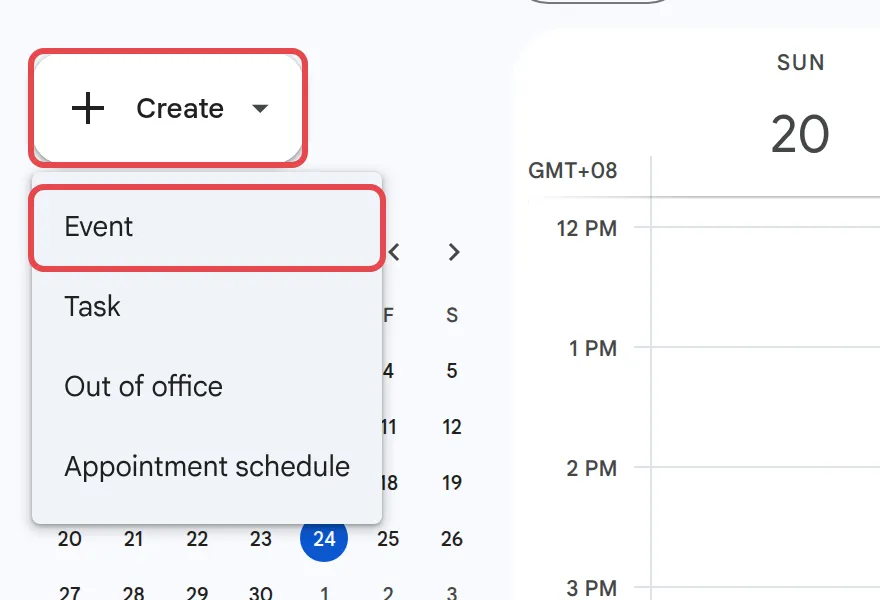
Click Create at the top left, then Event. You can also click an empty time on your calendar.
-
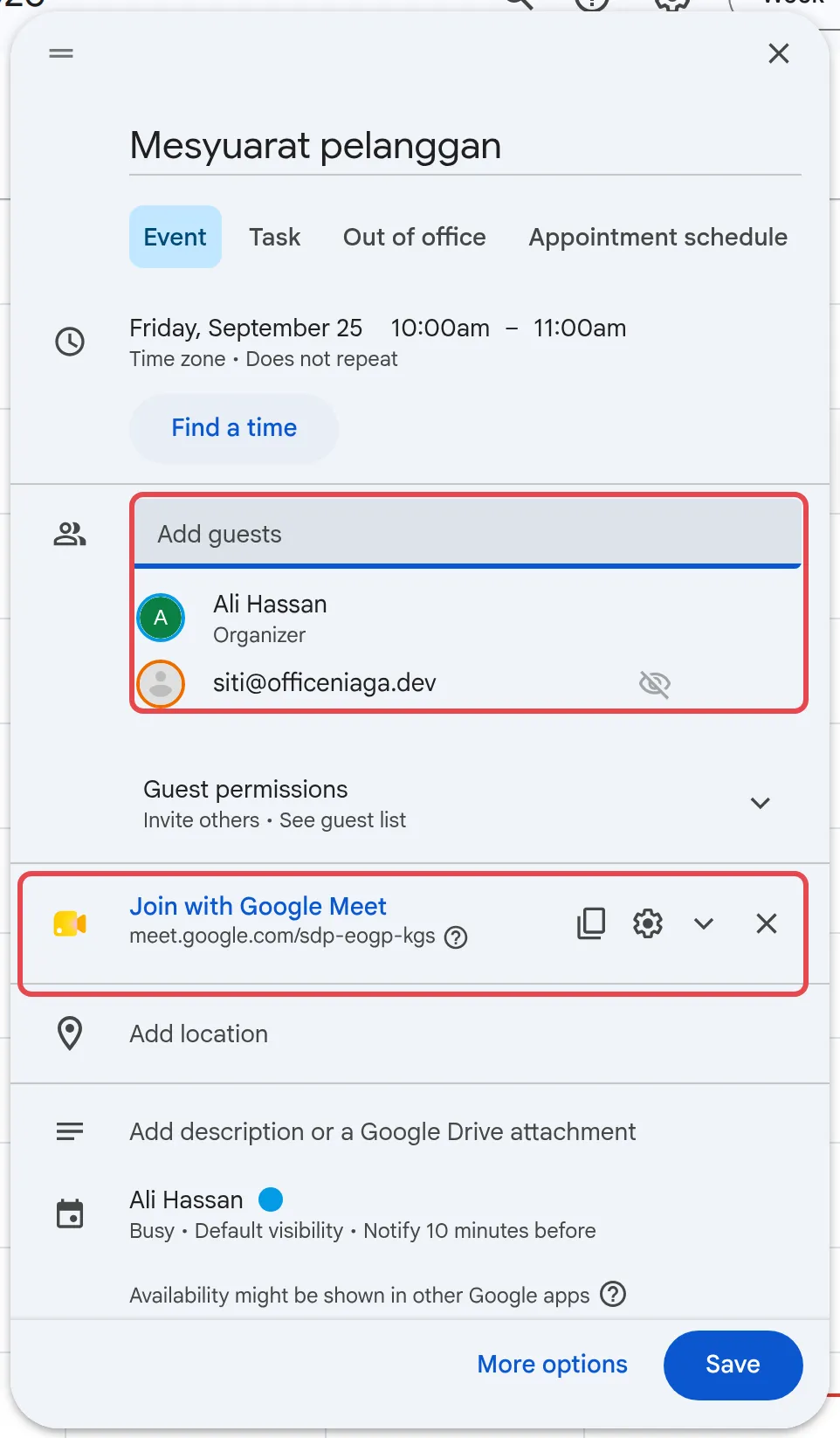
Add a title, then check the date and time.
-
Click Add guests and type each person’s name or email address.
-
Check the Meet link. When you add your first guest, Calendar adds a Join with Google Meet link by itself. If no link appears, click Add Google Meet video conferencing.
-
Click More options if you want to add a room, an attachment or a description.
-
Click Save. When Calendar asks, click Send to email the invitations.
Tick All day for leave, public holidays or deadlines that do not have a time.
Find a time that suits everyone
Section titled “Find a time that suits everyone”Calendar can show your guests’ busy times so you do not have to ask around.
-
Open the full event page with More options.
-
Add your guests under Guests.
-
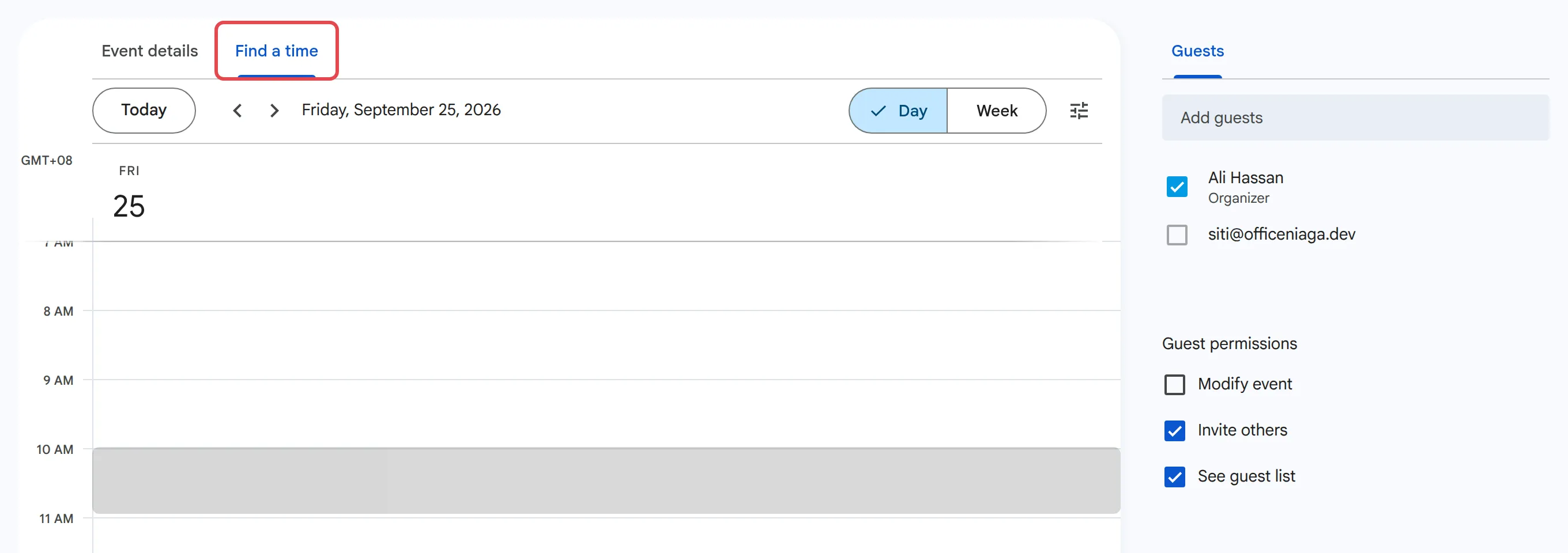
Click Find a time to see everyone’s calendars side by side.
-
Pick a free slot, then click Save.
You only see details of colleagues’ events if they have shared their calendar with you. Otherwise the time just shows as busy.
Choose what guests can do
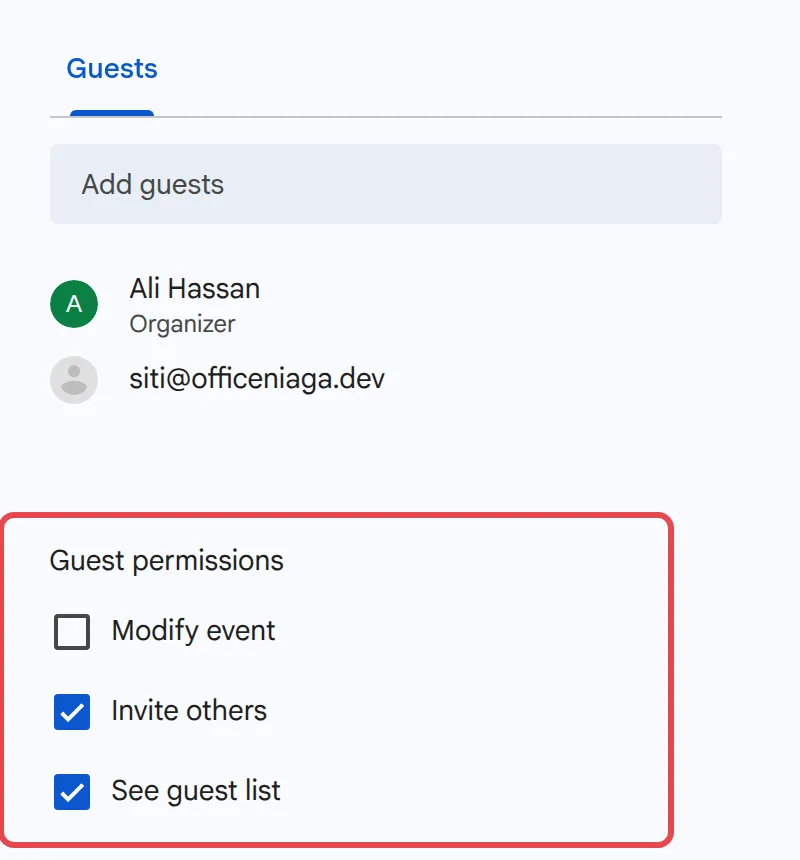
Section titled “Choose what guests can do”Guest permissions are on the full event page, under Guests. Tick the ones you want before you save.
- Modify event: guests can change the time, title and details, just like you.
- Invite others: guests can add more people.
- See guest list: guests can see who else is invited.
Change or cancel an event
Section titled “Change or cancel an event”Guests are told about changes by email.
- Click the event in your calendar.
- Click the pencil icon to edit it, or the bin icon to delete it.
- Click Save and choose whether to email the guests.
To book a meeting room, see book a meeting room. To join the meeting when it starts, see start or join a Google Meet meeting.
Still stuck
Section titled “Still stuck”WhatsApp our support team at +60 16-916 3324.
Common issues
Can I invite a client who does not use Google?
Yes. Type their email address under Guests. They get an email invitation, and they can join the Meet link from a browser. If they are not signed in to a Google Account, someone in the meeting has to let them in.
I added guests but there is no Meet link. Why?
Calendar normally adds a Join with Google Meet link as soon as you add a guest. If it did not, click Add Google Meet video conferencing before you save. If the option is missing, your admin may have turned off Meet or chosen another video tool for your company.
How do I let guests change the time or add people?
On the full event page, under Guest permissions, tick Modify event or Invite others, then click Save.
Was this article helpful?
Thanks for your feedback.
Sorry this didn't help. WhatsApp us and we'll sort it out with you.