
Ask an AI about this page
 ChatGPT
 Claude
 Perplexity
 Google AI Mode
 Microsoft Copilot
 Grok
 Mistral Le Chat
Recover deleted emails or Drive files in Google Workspace
Gmail and Drive keep deleted items in Trash for 30 days, then your company admin can restore data for 25 more days, or recover a deleted account within 20 days.
Check Trash first
Section titled “Check Trash first”Any user can do this for items deleted in the last 30 days.
-
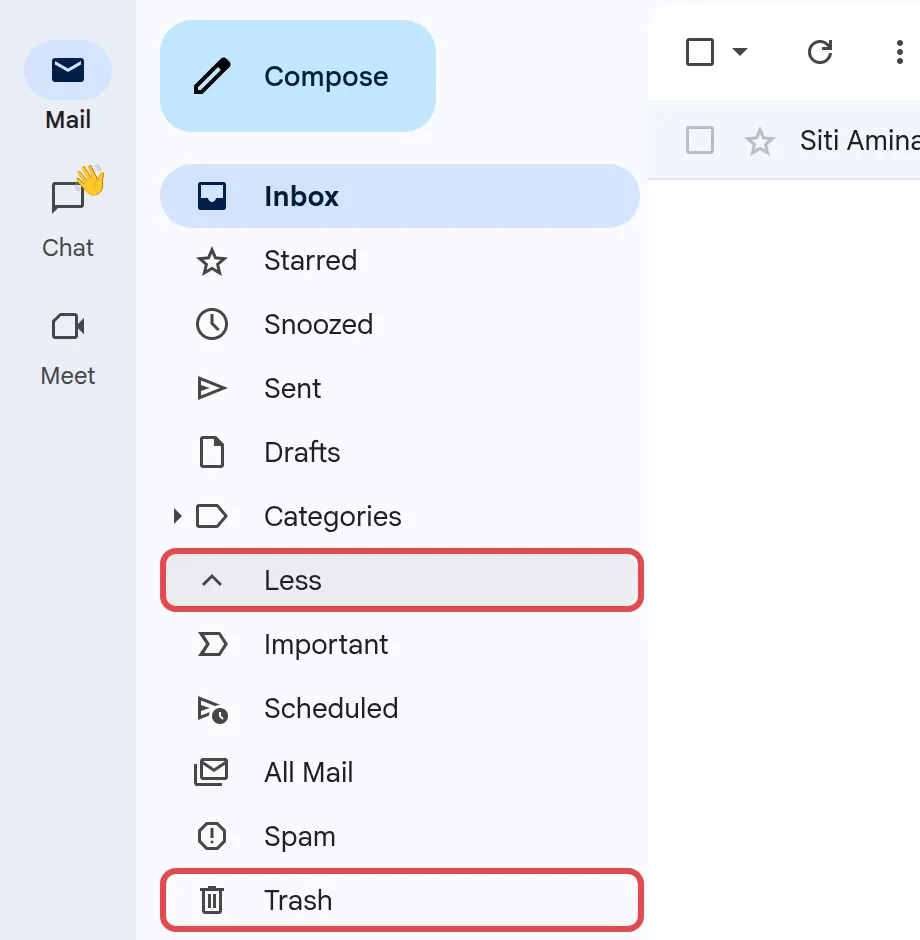
In Gmail, click More in the left menu (it then changes to Less), then Trash. Select the message, click Move to, and choose Inbox.
-
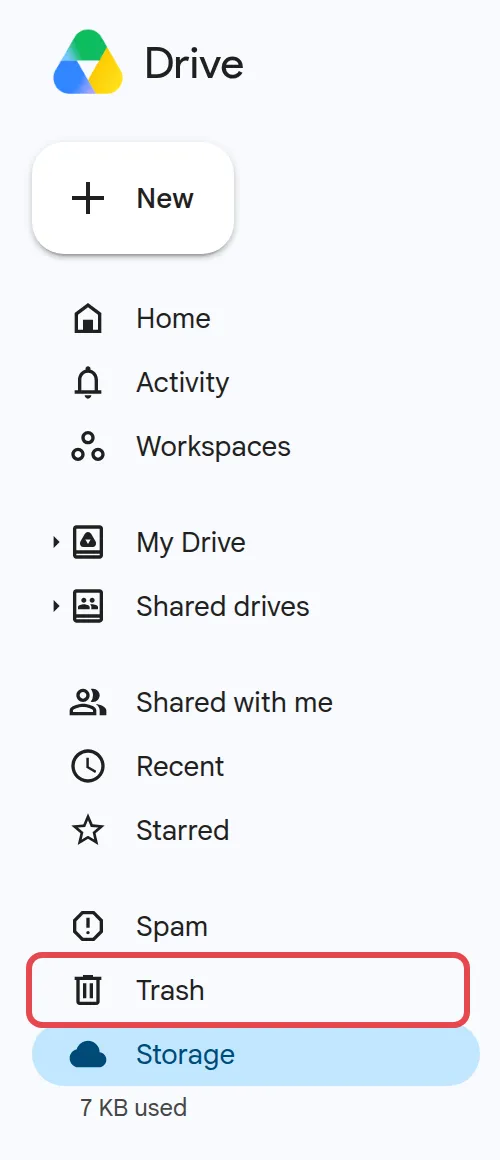
In Drive, click Trash, right-click the file or folder, and choose Restore.
Items are gone for good after 30 days, or sooner if Trash is emptied.
After Trash is emptied: an admin can restore data
Section titled “After Trash is emptied: an admin can restore data”You need a Google Workspace admin account, and the data must have been deleted in the last 25 days.
-
Sign in to admin.google.com and go to Directory → Users.
-
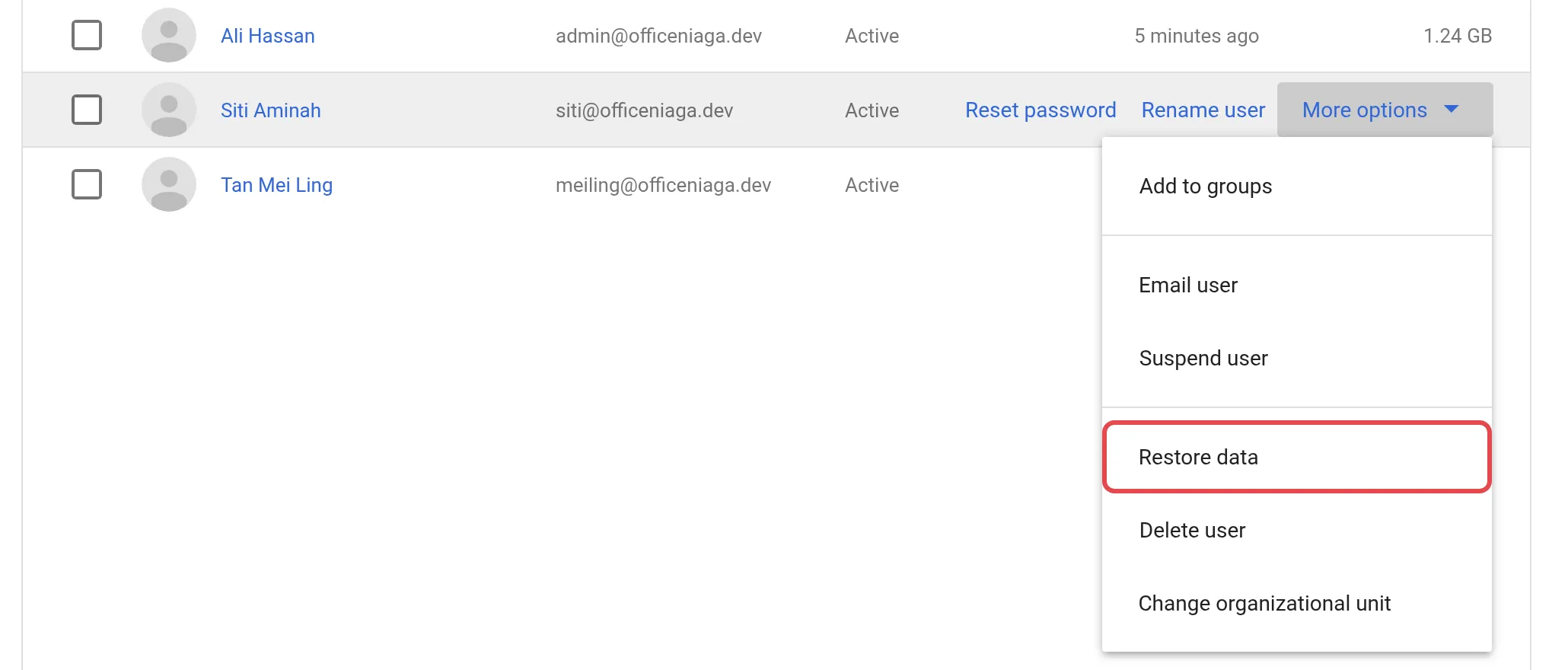
Point to the user and click More options → Restore data.
-
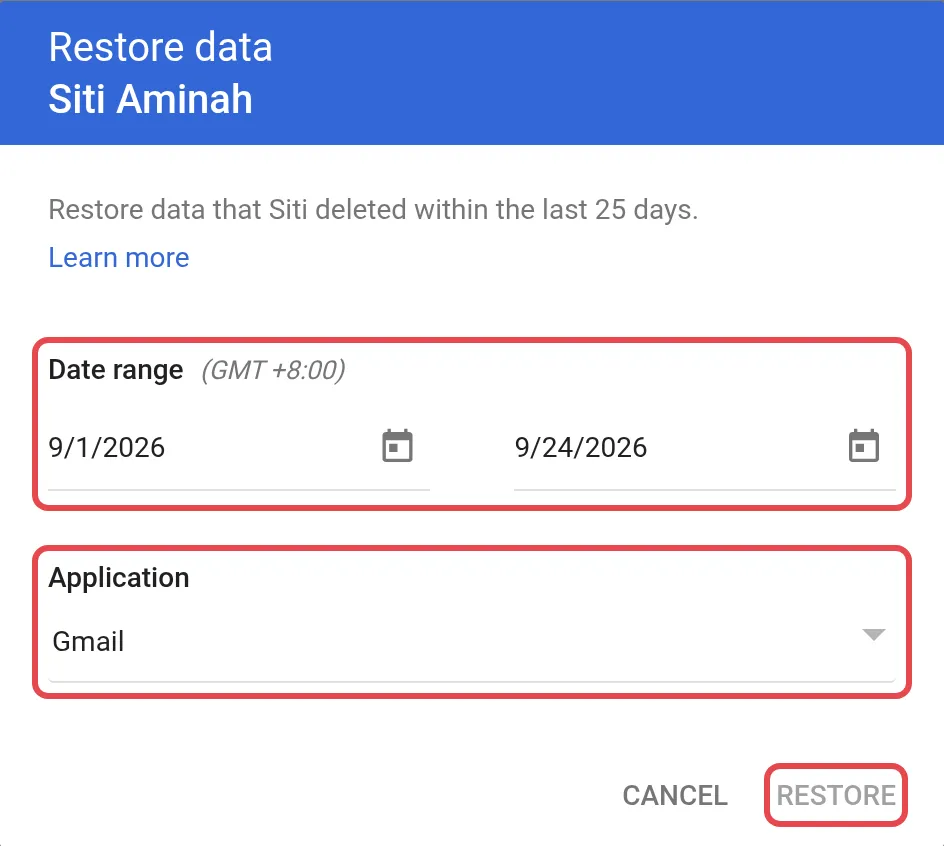
Pick a date range within the last 25 days, choose Gmail or Drive under Application, then click Restore; repeat for the other app if needed.
Restored mail lands in the Inbox and can take a few days to appear; it cannot recover drafts, spam, labels, or items still in Trash.
If the whole account was deleted
Section titled “If the whole account was deleted”Deleting a user account, not just their data, starts a shorter 20-day clock.
-
Go to Directory → Users.
-
Above the user list, click More options, then Recently deleted users.
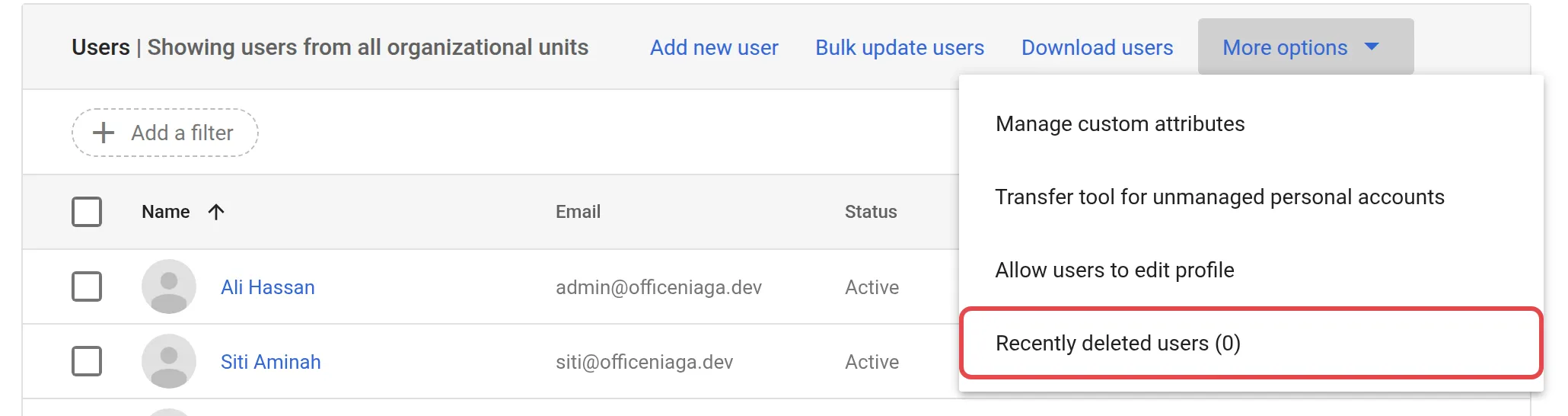
-
Point to the user and click Recover.
-
Click Continue, choose an organisational unit, then click Recover.
Gmail and Drive data returns with the account within 24 hours. Recovery needs a free licence; contact Office Niaga to add one if none is spare, since you cannot buy licences in the Admin console.
Suspend a leaver instead of deleting
Section titled “Suspend a leaver instead of deleting”Because deleting starts the clock, suspend a leaver’s account first and delete it later once nothing is needed. If a mailbox fills up meanwhile, see Google Workspace storage full.
Still stuck
Section titled “Still stuck”WhatsApp our support team at +60 16-916 3324.
Common issues
How long do I have to recover something from Trash myself?
30 days. Gmail and Drive both delete Trash items for good after that, so check Trash as soon as you notice something missing.
Can an admin still get something back after Trash is emptied?
Yes, for 25 more days, using Restore data in the Google Admin console. After that the data is gone even for Google.
I deleted a leaver's whole account by mistake. Can it come back?
Only within 20 days, via Recently deleted users. It is safer to suspend a leaver first instead of deleting straight away.
Was this article helpful?
Thanks for your feedback.
Sorry this didn't help. WhatsApp us and we'll sort it out with you.