
The Microsoft 365 web home (Microsoft Copilot app)
Updated For Microsoft 365

The Microsoft 365 web home is the page you see after you sign in at m365.cloud.microsoft. From there you open Word, Excel, PowerPoint, OneDrive and your other apps, and pick up recent files. Microsoft now calls this page the Microsoft Copilot app, so it says Copilot at the top left.
Sign in
Section titled “Sign in”You can sign in on any computer with a web browser.
-
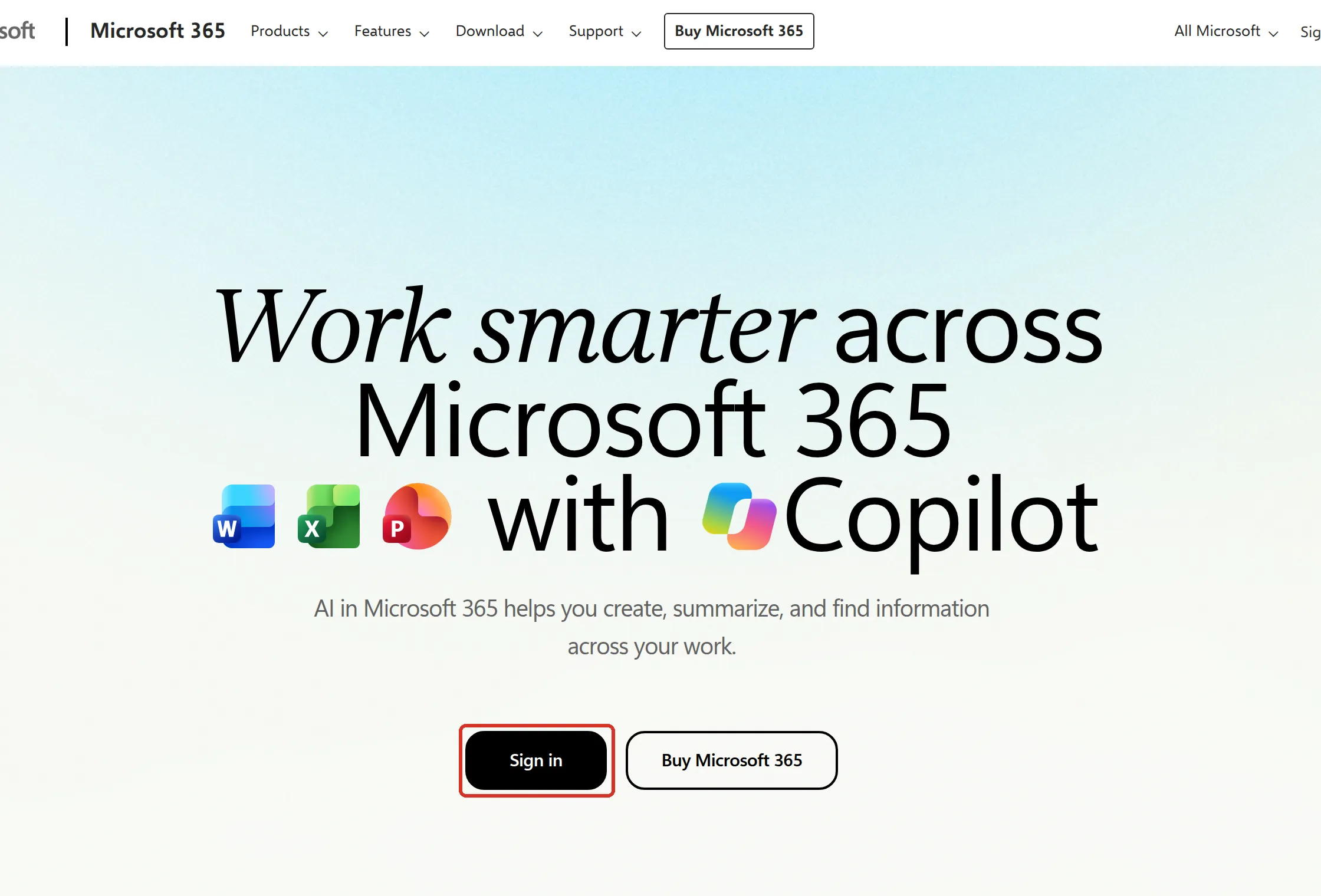
Go to m365.cloud.microsoft and select Sign in.
-
Enter your work email address and password, then approve the sign-in on your phone if asked. For the full steps and your first sign-in, see sign in to Microsoft 365.
Other addresses reach the same home. On 26 September 2026, www.office.com and www.microsoft365.com sent us there, and copilot.cloud.microsoft showed the same page once we were signed in.
Find your apps and recent files
Section titled “Find your apps and recent files”The home page has a menu on the left and your files on the right.
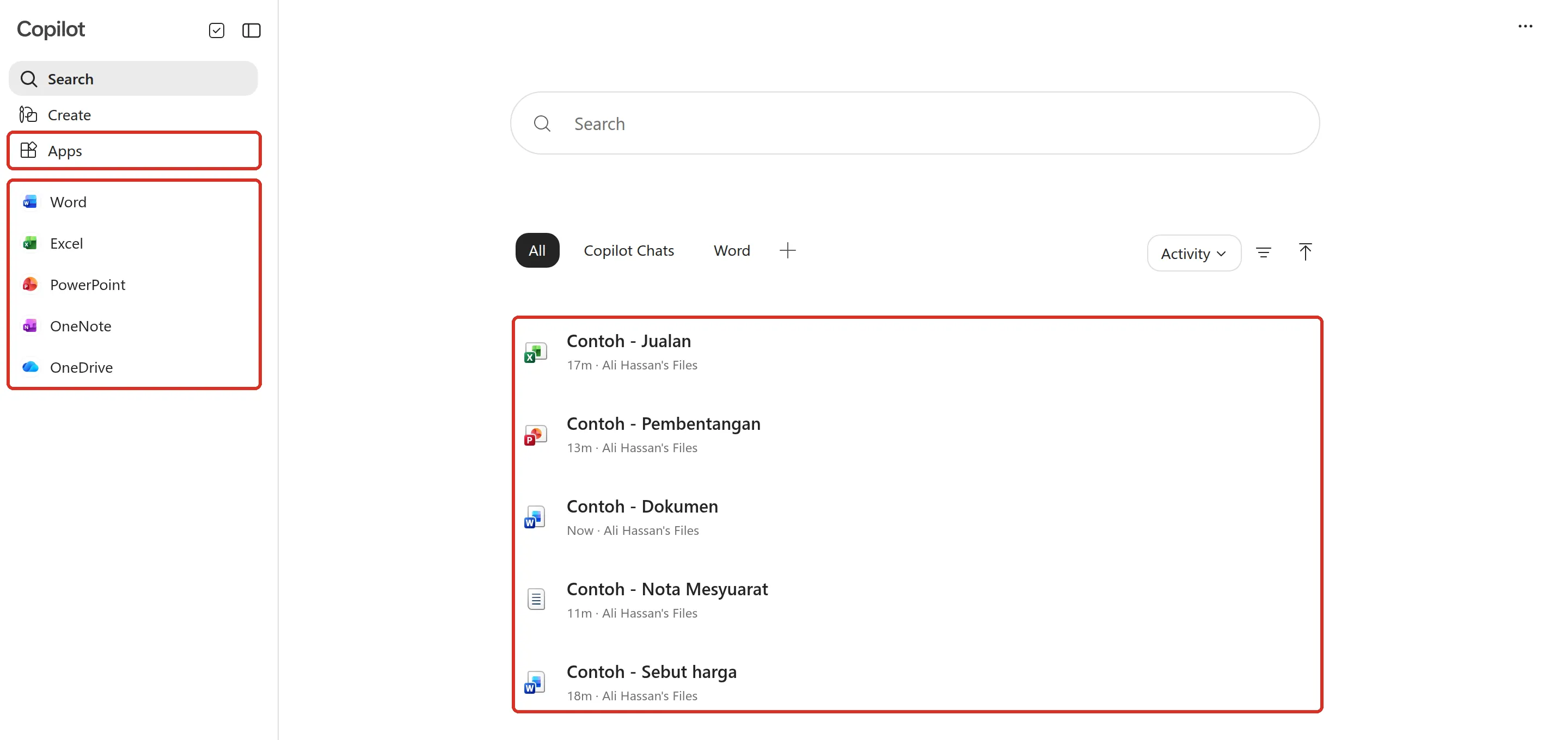
The left menu has these parts, from the top:
- Search: the start page, with a search box that looks through your files.
- Create: start a new Word document, Excel workbook or PowerPoint presentation. See use Word, Excel and PowerPoint in your browser.
- Apps: every app in your plan. See below.
- Pinned apps: Word, Excel, PowerPoint, OneNote and OneDrive, one click away. Most apps open in a new browser tab.
- Your name, with a Work label, at the bottom. The label shows you are signed in with your work account, not a personal one.
The right side lists files you opened or changed lately, newest first. Select a file to open it. The tabs above the list (All, Copilot Chats, Word) filter what you see.
Open the Apps page
Section titled “Open the Apps page”Select Apps on the left to see the apps in your plan. The top row shows the main ones; select All apps to see everything, such as Forms, Loop and Sway.
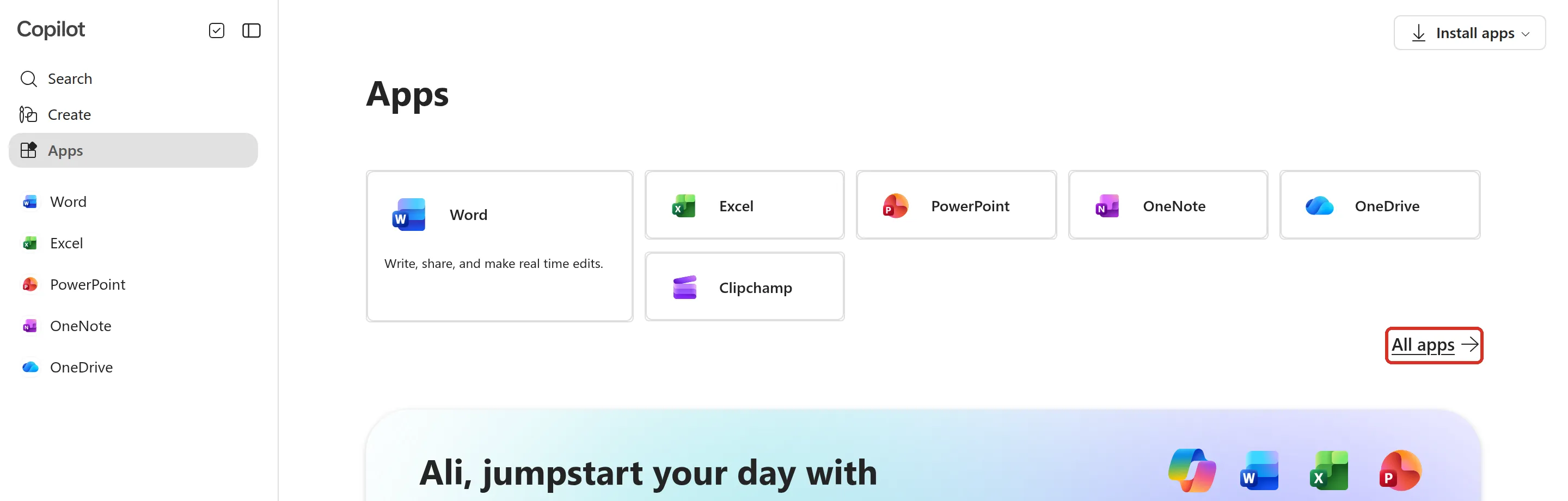
If your plan includes the desktop apps, the Install apps button at the top right of this page downloads them. See install the Microsoft 365 apps. Business Basic does not include the desktop apps, so you use the web and mobile apps instead.
Use the app launcher
Section titled “Use the app launcher”Inside OneDrive, Word, Excel, PowerPoint and the other web apps, the app launcher is the grid of nine dots at the top left. Microsoft sometimes calls it the waffle.
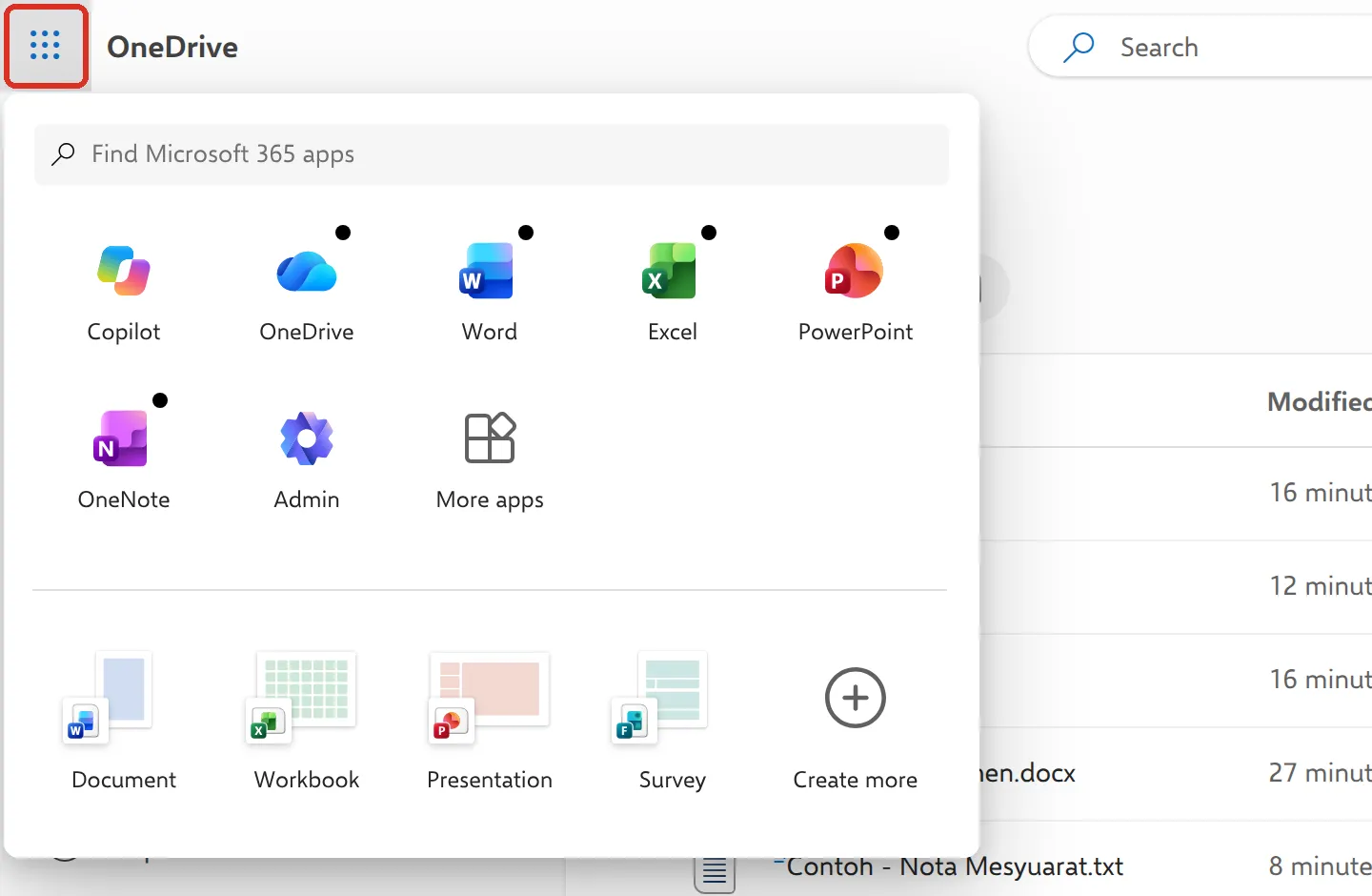
Select it to jump to another app, or to create a new Document, Workbook or Presentation. Copilot at the start of the list takes you back to the home page. Admin only appears for Microsoft 365 admins.
Why the page says Copilot
Section titled “Why the page says Copilot”In August 2026 Microsoft renamed the Microsoft 365 Copilot app to Microsoft Copilot, with a new icon. The same announcement moves the web address from m365.cloud.microsoft to copilot.cloud.microsoft, with automatic redirects. Microsoft said the changes would start on 18 August 2026, with broad roll-out from mid-September.
Here is what this means for you:
- Nothing to do. Your files, apps and sign-in do not change. Old bookmarks keep working.
- You may see either address. When we checked our test account on 26 September 2026, the home page still opened at m365.cloud.microsoft, and copilot.cloud.microsoft showed the same page. Both are official Microsoft addresses. Microsoft says any site ending in
cloud.microsoftis theirs. - A clearer work label. The Work label next to your name helps you tell your work account from a personal Microsoft account in the same browser.
- Copilot features depend on your licence. Microsoft says what you see in the app depends on the Microsoft 365 licences you have, and people with a Microsoft Copilot licence get the full Copilot experience.
Microsoft’s own notes are in the August 2026 partner announcements and App and network requirements for Microsoft Copilot.
Still stuck
Section titled “Still stuck”WhatsApp our support team at +60 16-916 3324.
Common issues
My bookmark to m365.cloud.microsoft or office.com still works. Should I change it?
There is no need. On 26 September 2026, www.office.com and www.microsoft365.com took us to the same home page, and Microsoft says m365.cloud.microsoft redirects to copilot.cloud.microsoft as the change reaches each company.
The page opens but asks me to sign in again.
Select Sign in and use your full work email address. If you are signed in to a personal Microsoft account in the same browser, sign out of it or use a private window. See sign in to Microsoft 365.
copilot.cloud.microsoft does not load at the office.
Your company's firewall or web filter may block it. Microsoft asks IT teams to allow copilot.cloud.microsoft and everything under *.cloud.microsoft. Use m365.cloud.microsoft in the meantime and tell your IT person or Office Niaga.
Was this article helpful?
Thanks for your feedback.
Sorry this didn't help. WhatsApp us and we'll sort it out with you.