
Ask an AI about this page
 ChatGPT
 Claude
 Perplexity
 Google AI Mode
 Microsoft Copilot
 Grok
Grok Mistral Le Chat
What Power Automate is and what your plan includes
Power Automate is the Microsoft 365 app that does repetitive work for you. You build a flow: when something happens (an email arrives, someone submits a form, it’s Monday 9am), Power Automate does the steps you chose (save a file, post a Teams message, add a row to Excel). Open it at make.powerautomate.com and sign in with your work email. Microsoft 365 Business Basic, Business Standard and Business Premium all include it with the standard connectors.
Open Power Automate
Section titled “Open Power Automate”There are two ways to open Power Automate:
- Go to make.powerautomate.com and sign in with your work email and password.
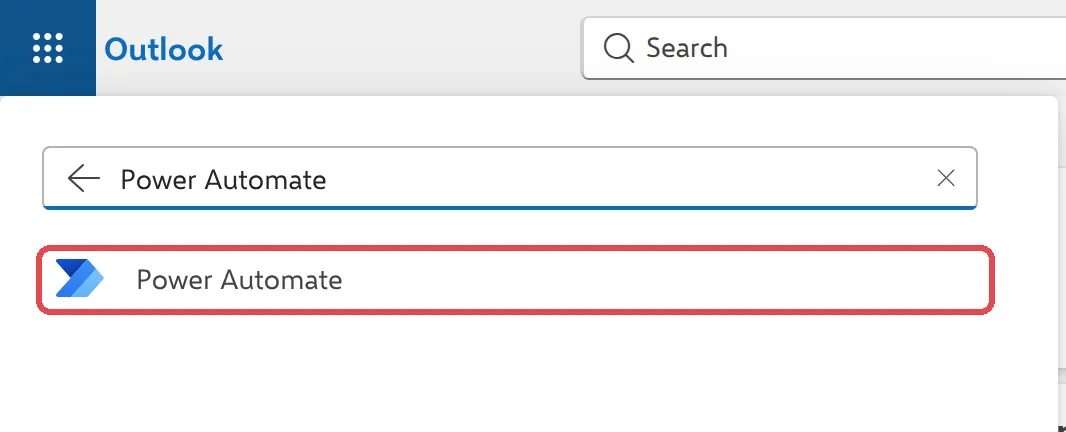
- From Outlook on the web or any Microsoft 365 page, select the app launcher (the nine dots, top left), type Power Automate in Find Microsoft 365 apps, and select it.
Cloud flows: the three kinds
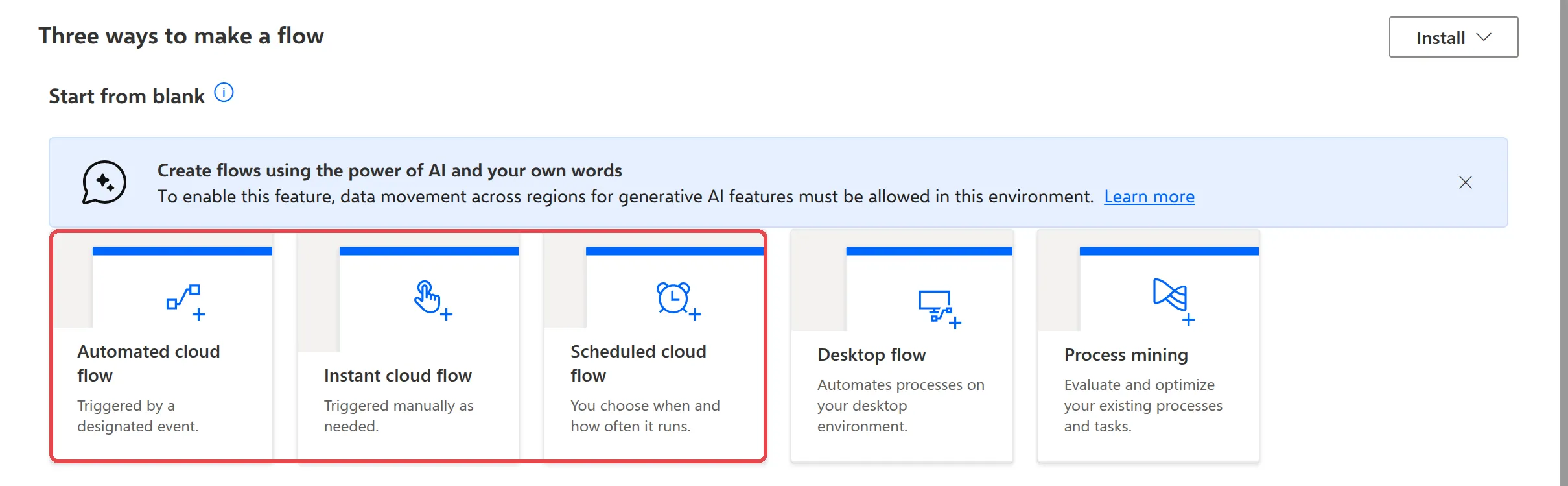
Section titled “Cloud flows: the three kinds”Most flows you make are cloud flows. They run in Microsoft’s cloud, so they keep working when your computer is off. To start one from scratch, select Create on the left. Power Automate offers three kinds of cloud flow:
- Automated cloud flow starts by itself when something happens, such as a new email or a new Forms response.
- Instant cloud flow starts when you press a button, for example to send a leave request.
- Scheduled cloud flow runs at the times you choose, such as every Monday at 9am.
Every flow has one trigger (what starts it) and one or more actions (what it does). Each app a flow talks to, such as Outlook or Teams, is a connector.
Templates
Section titled “Templates”A template is a ready-made flow that Microsoft or the community has built. Select Templates on the left, search for what you want to do, and pick one. Power Automate asks you to sign in to the apps it uses, then opens the flow so you can check the settings and save it. See save email attachments to OneDrive for an example.
Standard and Premium connectors
Section titled “Standard and Premium connectors”Your Microsoft 365 plan includes the standard connectors, which cover the everyday Microsoft 365 apps: Outlook, Teams, OneDrive, SharePoint, Excel, Forms, Planner, Approvals and more.
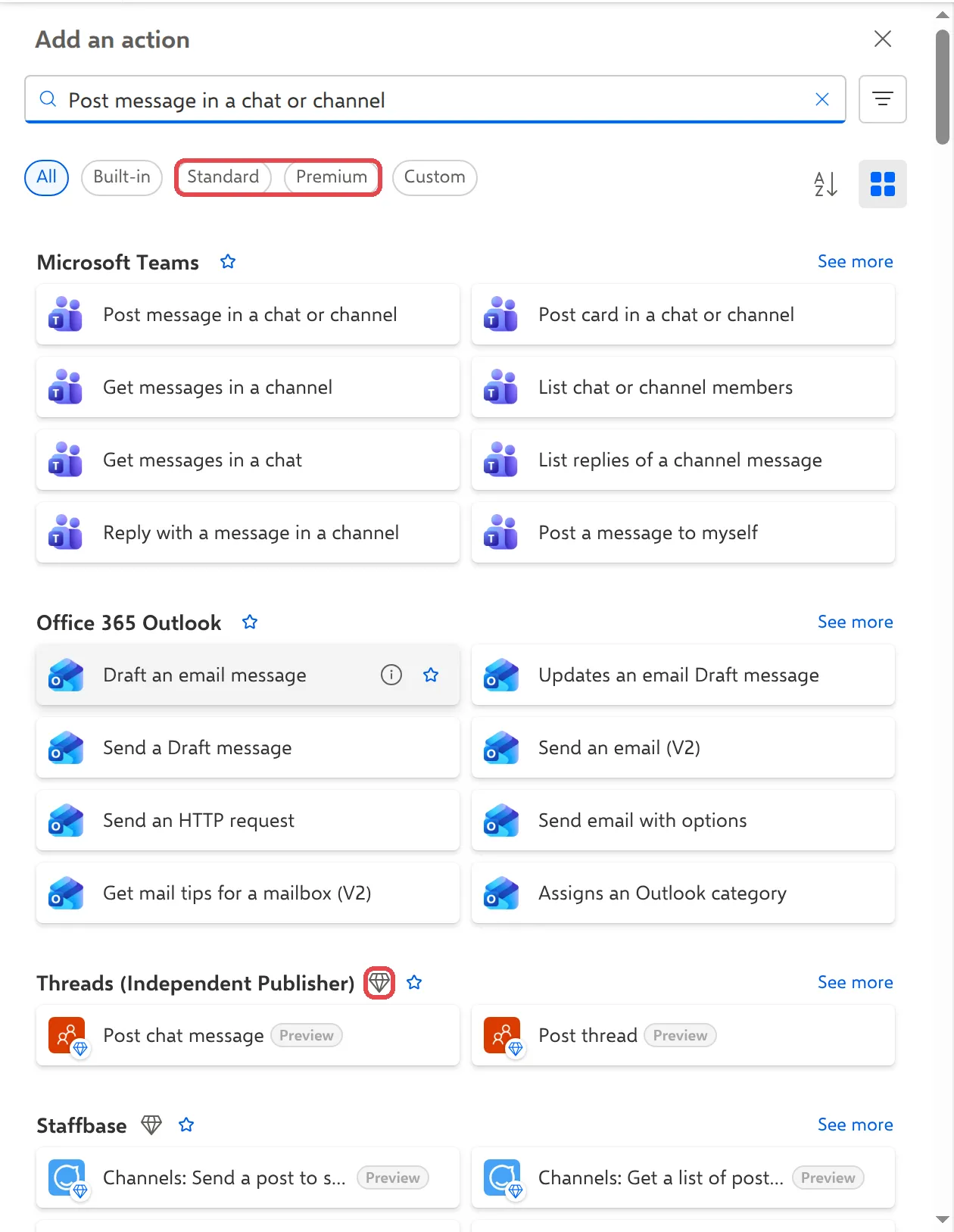
Some connectors and triggers are Premium, for example HTTP, SQL Server and many third-party services. They need a separate Power Automate Premium licence. When you add a step, Power Automate marks Premium connectors with a diamond, and you can filter the list with Standard or Premium.
The guides in this category use standard connectors only.
Power Automate for desktop
Section titled “Power Automate for desktop”Cloud flows work with online apps. To automate tasks on your own Windows PC, such as renaming files or copying data between desktop apps, there is a separate free app, Power Automate for desktop. See automate tasks on your PC.
Find your flows
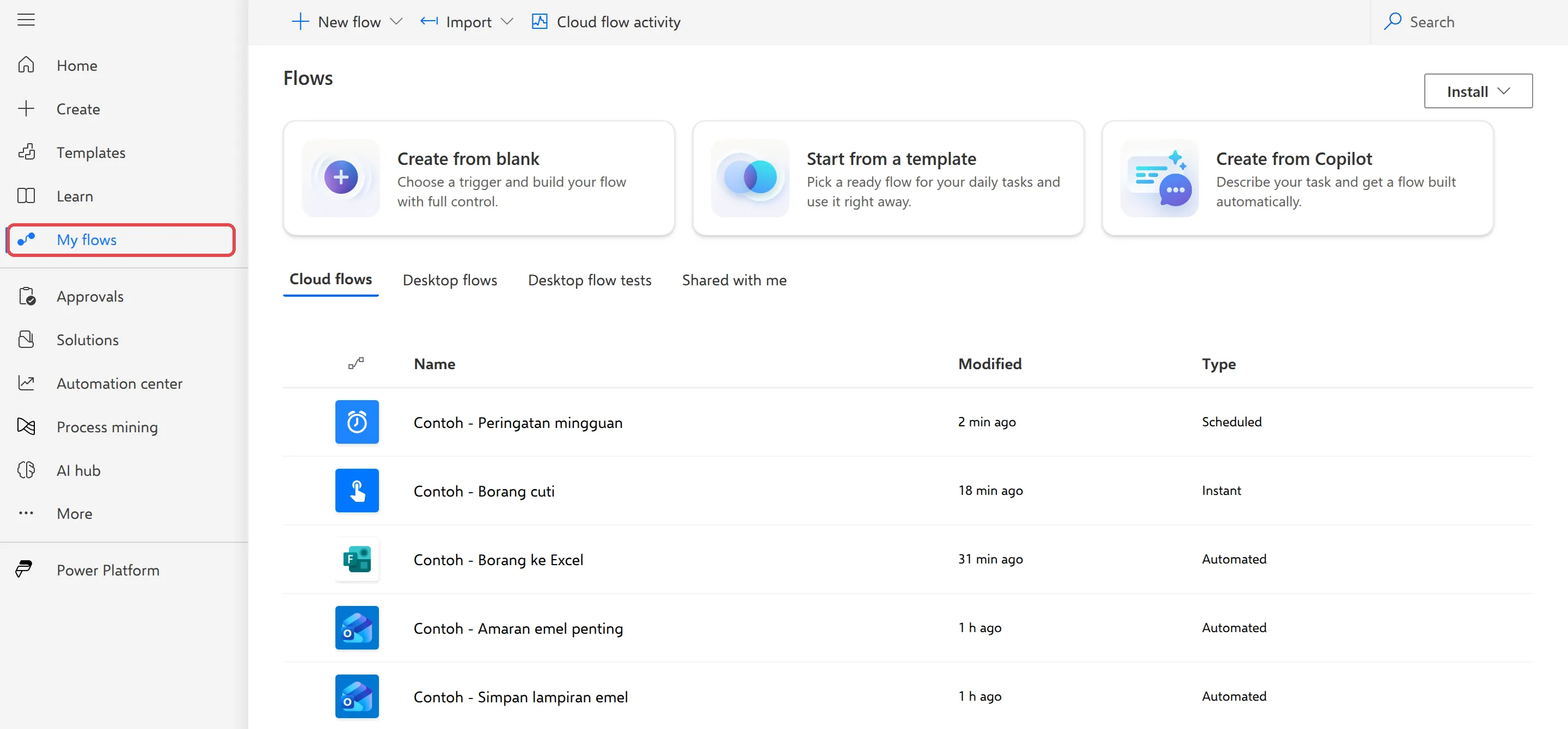
Section titled “Find your flows”Select My flows on the left to see every flow you own, with when it was changed and its type. Select a flow’s name to open its details, run history and connections. See manage your flows.
Microsoft describes the plans in Power Automate licensing and connector types in connectors overview.
Still stuck
Section titled “Still stuck”WhatsApp our support team at +60 16-916 3324.
Common issues
I can't find Power Automate in the app launcher.
It isn't pinned by default. Open the app launcher, type Power Automate in Find Microsoft 365 apps and select it, or go straight to make.powerautomate.com. If it says you don't have access, ask your admin to check that your Microsoft 365 licence is assigned.
A connector or trigger has a diamond next to it. Can I use it?
The diamond means Premium. Premium connectors and triggers, such as HTTP, need a Power Automate Premium licence, which Microsoft 365 business plans don't include. Pick a standard connector instead, or ask Office Niaga about adding a Premium licence.
Power Automate offers me a free trial. Should I start it?
Only if you want to try Premium features. The guides in this help centre use standard connectors only, which your plan already includes. If a trial ends, flows that use Premium connectors stop working.
Do my flows keep running when my computer is off?
Yes. Cloud flows run in Microsoft's cloud, so they keep working when your computer is off or you are signed out.
Was this article helpful?
Thanks for your feedback.
Sorry this didn't help. WhatsApp us and we'll sort it out with you.