
Add licences, change plan or renew Microsoft 365
Updated For Microsoft 365

Adding licences, changing your plan and renewing Microsoft 365 all go through Office Niaga, not the Microsoft 365 admin centre. Your subscription is managed by us, so Microsoft asks you to contact your partner rather than buying in Billing.
See what you have
Section titled “See what you have”Before you ask for changes, check your current numbers in the admin centre at admin.microsoft.com:
- Billing > Licenses shows each product, how many licences you have and how many are assigned.
- Billing > Your products lists your subscriptions with the number of licences bought and the renewal date.
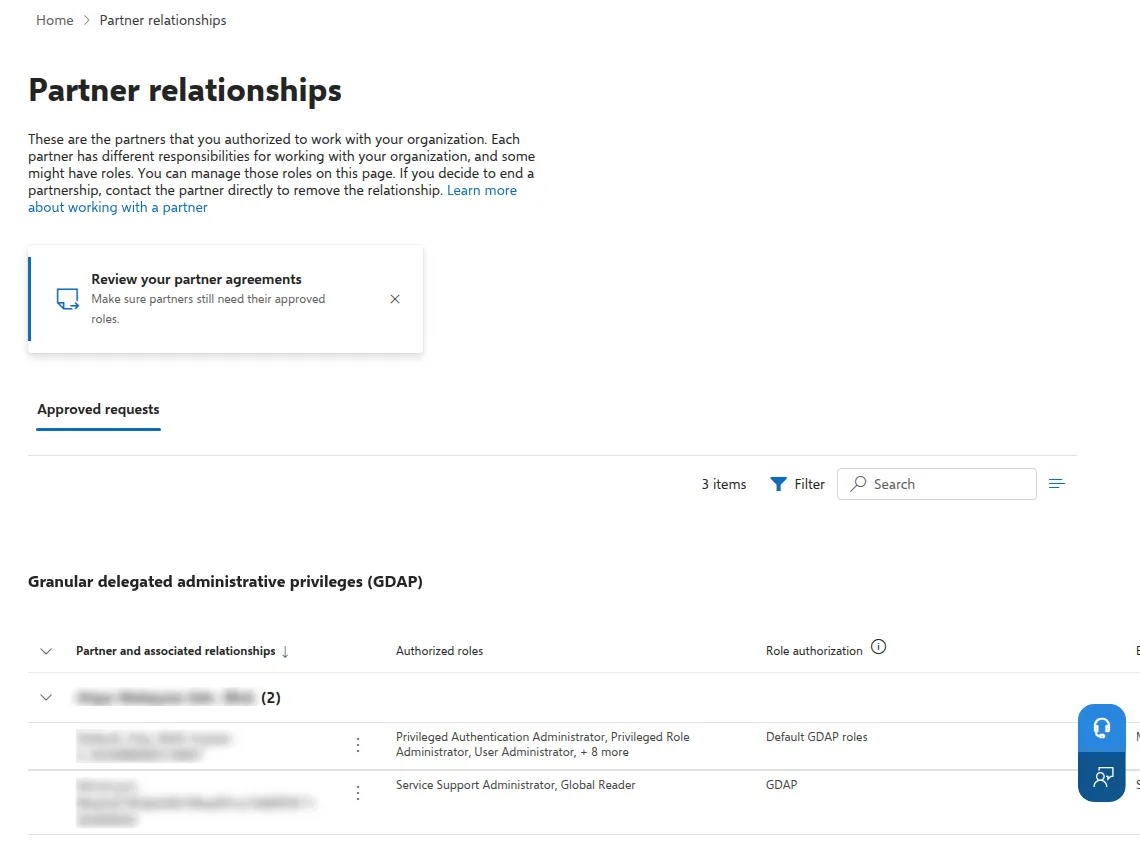
- Settings > Partner relationships lists the Microsoft partners that work with your account.
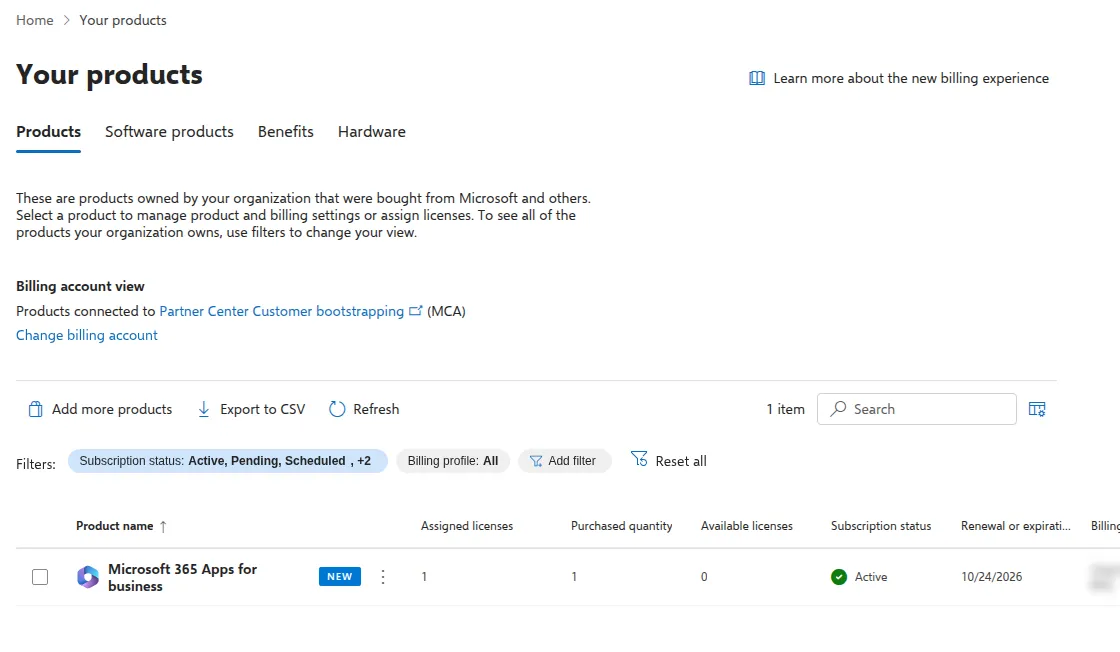
On Your products, check Purchased quantity, Available licenses and Renewal or expiration date for each product.
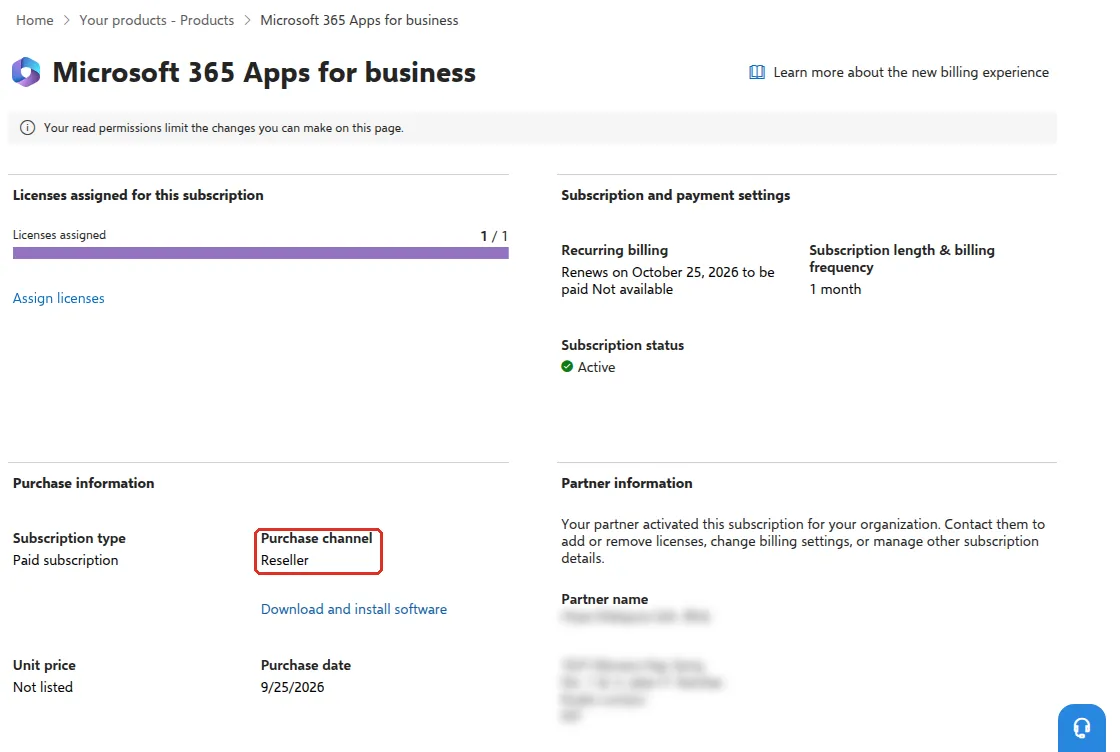
Select the product name to see its details. Under Purchase information, Purchase channel shows Reseller, and Partner information says your partner activated the subscription and handles adding or removing licences.
Partner relationships is for checking only. To end a partnership, Microsoft says to contact the partner directly, so there is nothing to change on this page.
Adding licences for new hires
Section titled “Adding licences for new hires”Order the licence before the new staff member’s first day, so their account is ready when they start.
- Tell Office Niaga which product and how many extra licences you need, through the billing portal or WhatsApp.
- Once the licences appear under Billing > Licenses, create the user and give them a licence. See add a new staff member.
If someone has left, you may already have a free licence. See when a staff member leaves.
Changing plan
Section titled “Changing plan”If staff need the desktop apps, more storage or extra security features, you may need a different plan. For example, Microsoft’s Business Basic plan does not include the desktop apps. See install the Microsoft 365 apps. Tell Office Niaga what your team needs and we will recommend the right plan and arrange the change.
Microsoft limits its Business plans (Basic, Standard and Premium) to 300 users in total per company. If you are near that number, ask us about the options.
Renewing
Section titled “Renewing”Licences are billed for the term ahead, so tell Office Niaga before your renewal date if you need more or fewer. For a quote, contact Office Niaga.
Still stuck
Section titled “Still stuck”WhatsApp our support team at +60 16-916 3324.
Common issues
Can I buy more licences myself in the Microsoft 365 admin centre?
No. Because your subscription is managed by Office Niaga, the product page in the admin centre says Your read permissions limit the changes you can make on this page and asks you to contact your partner to add or remove licences. WhatsApp us or use the billing portal.
Can I reduce licences before my Microsoft 365 renews?
Yes. Tell Office Niaga how many licences you need before your renewal date, so the renewal is for the right number. First remove the licences from people who have left.
What happens if our subscription runs out?
Microsoft moves an expired subscription through stages where users, and later admins, lose access, before the data is deleted. Renew on time, and talk to Office Niaga early if payment will be late.
Was this article helpful?
Thanks for your feedback.
Sorry this didn't help. WhatsApp us and we'll sort it out with you.