
 ChatGPT
 Claude
 Perplexity
 Google AI Mode
 Microsoft Copilot
 Grok
Grok Mistral Le Chat
在Gmail或Outlook.com使用Office Niaga电邮
Office Niaga Mail和Gmail一起使用,常见的方法有三种。选择你需要的那一种。
在Gmail用Office Niaga地址发电邮
Section titled “在Gmail用Office Niaga地址发电邮”你从Gmail发出的电邮,发件人会显示你的公司电邮地址。
-
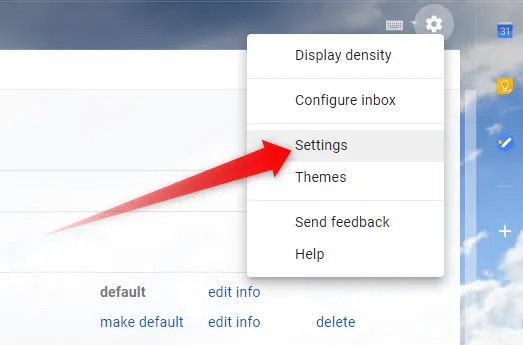
在Gmail点击右上角的Settings图标,然后点击See all settings。
-
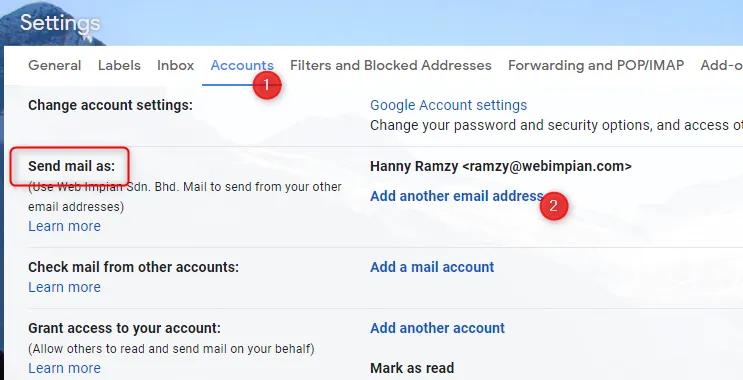
点击Accounts and Import标签。在Send mail as下面,点击Add another email address。
-
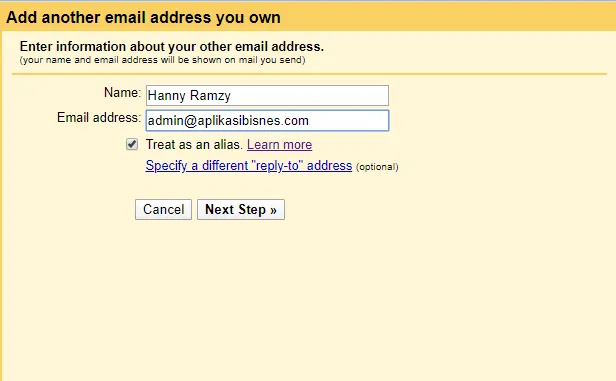
输入你的名字和Office Niaga电邮地址。
-
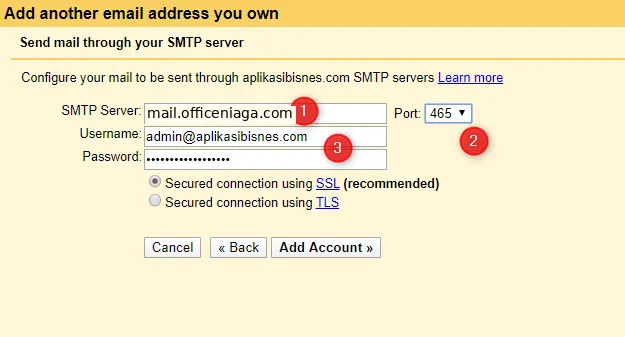
填写服务器资料:
- SMTP Server:
mail.officeniaga.com - Port:465
- Username和Password:你完整的Office Niaga电邮地址和密码
- 选择Secured connection using SSL
- SMTP Server:
-
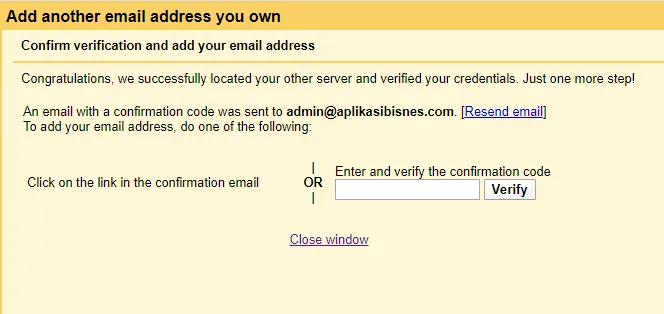
Google会把验证码发到你的Office Niaga电邮。输入验证码,然后点击Verify。
-
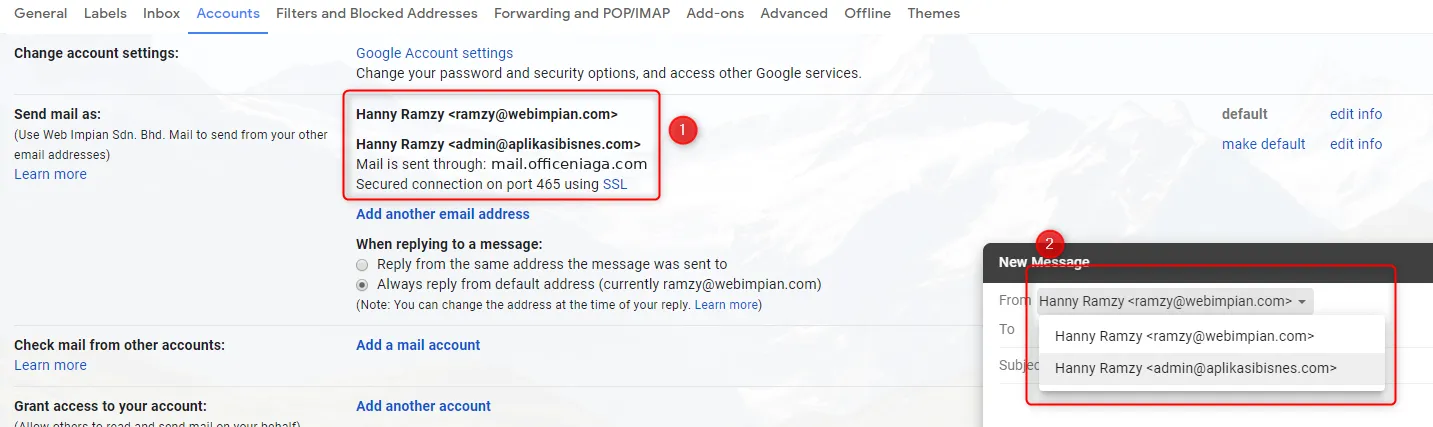
在Send mail as下面检查你的设置。
在Gmail接收Office Niaga电邮
Section titled “在Gmail接收Office Niaga电邮”Gmail已经不能再用POP从其他账号收取电邮。你可以改在Office Niaga Mail设置电邮转发,把每封电邮的副本发到你的Gmail。请看Forward email and autoresponder。
如果你只想在手机上看电邮,可以用IMAP把账号直接添加到Android的Gmail App,请看在Android手机设置电邮。
从Gmail搬移旧电邮
Section titled “从Gmail搬移旧电邮”用Office Niaga Mail的Mailbox Migration,通过IMAP把旧电邮从Gmail复制过来。它只复制电邮。如果要搬移Gmail联系人,请看Import contacts。
-
在你的Google账号里:开启2-Step Verification,然后在myaccount.google.com/apppasswords创建App Password。复制这个16个字符的密码。你平时的Gmail密码在这里不能用。
-
登录Webmail,然后点击Settings。

-
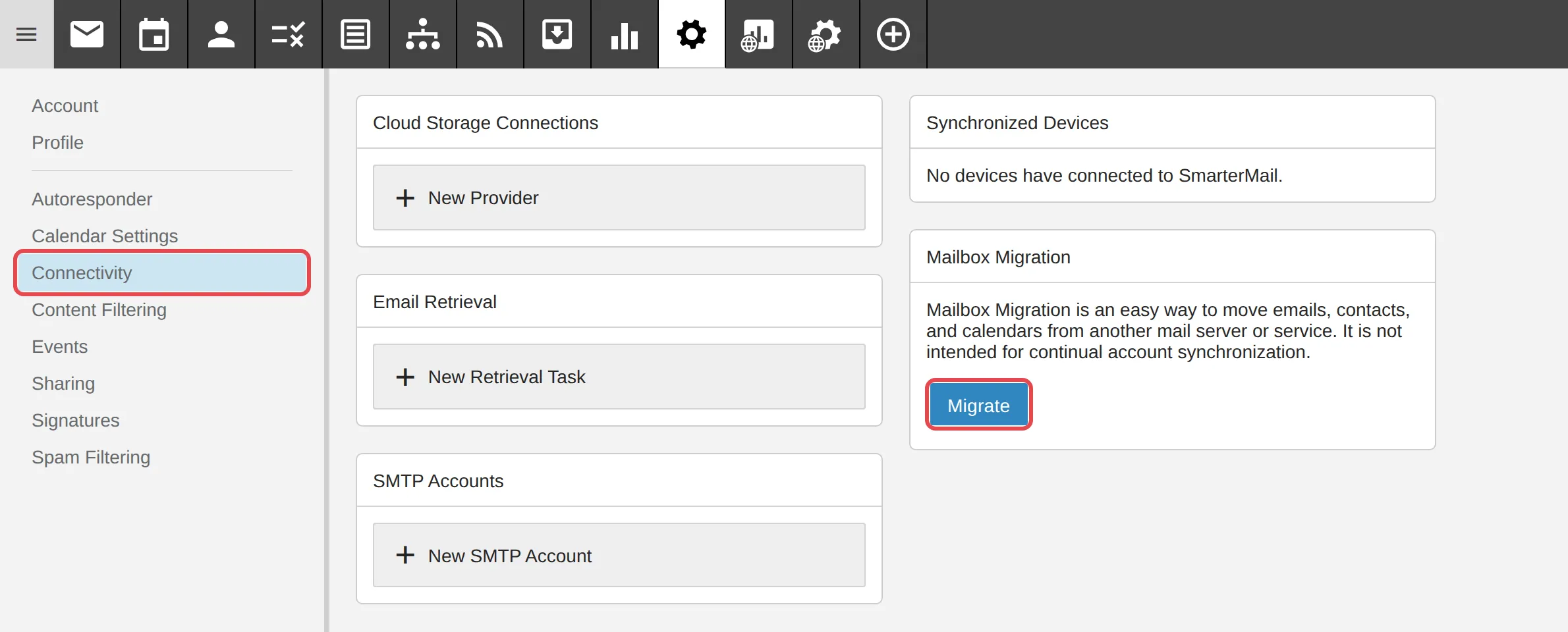
点击Connectivity。在Mailbox Migration卡片里,点击Migrate。
-
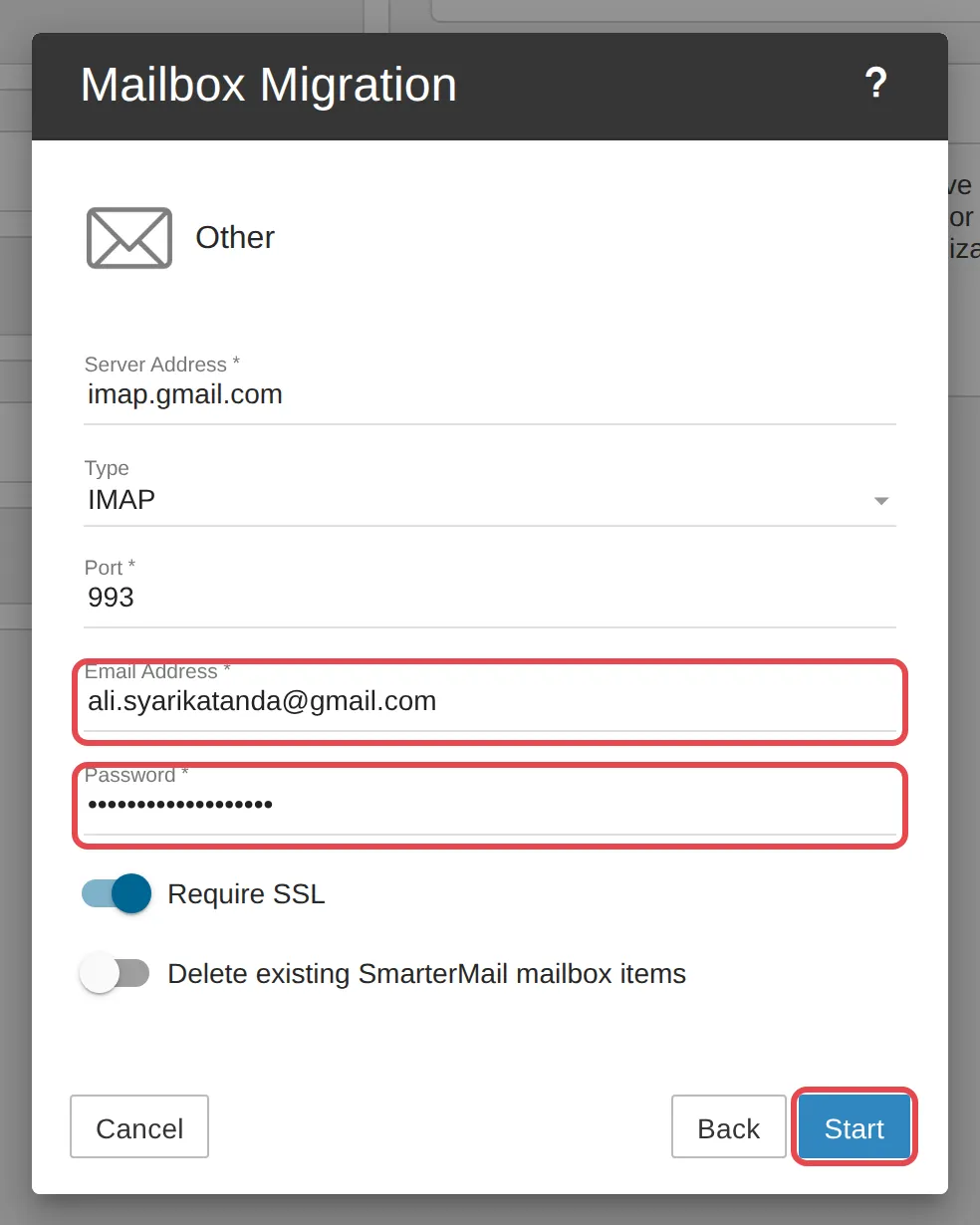
服务列表里没有Gmail,所以点击Other。然后填写:
- Server Address:
imap.gmail.com - Type:IMAP
- Port:993
- Email Address:你的Gmail地址
- Password:你刚才创建的App Password
- 开启Require SSL。保持Delete existing SmarterMail mailbox items关闭,否则你Office Niaga邮箱里现有的电邮会被删除。
点击Start。
- Server Address:
完成后,你的旧电邮就会出现在Office Niaga Mail里。
Outlook.com & Hotmail
Section titled “Outlook.com & Hotmail”如果你的Outlook.com账号还有添加其他账号的选项(Settings、Sync email、Other email accounts),请使用以下手动设置:
- Incoming (POP):
mail.officeniaga.com,端口995,SSL/TLS - Outgoing (SMTP):
mail.officeniaga.com,端口465,SSL/TLS
请通过WhatsApp联系我们的支持团队:+60 16-916 3324。
常见问题
旧的教程说要在Gmail用“Add an email account”收取电邮,为什么现在找不到了?
Google已停止让Gmail用POP从其他账号收取电邮。请在Office Niaga Mail设置电邮转发,把每封电邮的副本发到Gmail,详情请看在Gmail接收Office Niaga电邮这一部分。
密码明明是对的,为什么从Gmail搬电邮还是失败?
Google不允许其他App使用你平时的Gmail密码。请在你的Google账号里创建App Password,改用这个密码,详情请看从Gmail搬移旧电邮这一部分。
Gmail要求输入“Send mail as”的验证码,怎么办?
Google会把验证码发到你的Office Niaga电邮地址。请登录Webmail,复制验证码,然后在Gmail输入。