
 ChatGPT
 Claude
 Perplexity
 Google AI Mode
 Microsoft Copilot
 Grok
Grok Mistral Le Chat
在Gmail里使用Gemini:Help me write、摘要 & 回复
所有Google Workspace Business和Enterprise配套都包含Gmail里的Gemini,Business Starter也一样。它能帮你起草电邮、总结很长的邮件串,以及建议回复。
你的账号必须开启smart features,才能在Gmail里使用Gemini。第一次打开Gmail时,你可能会看到一个分3步的小窗口,标题是Turn on smart features to get more out of Gmail, Chat, and Meet(底部显示“1 of 3”)。选择Turn on smart features,点击Next,然后完成另外两步。如果你选择Turn off smart features,Gmail里的Gemini就无法使用。
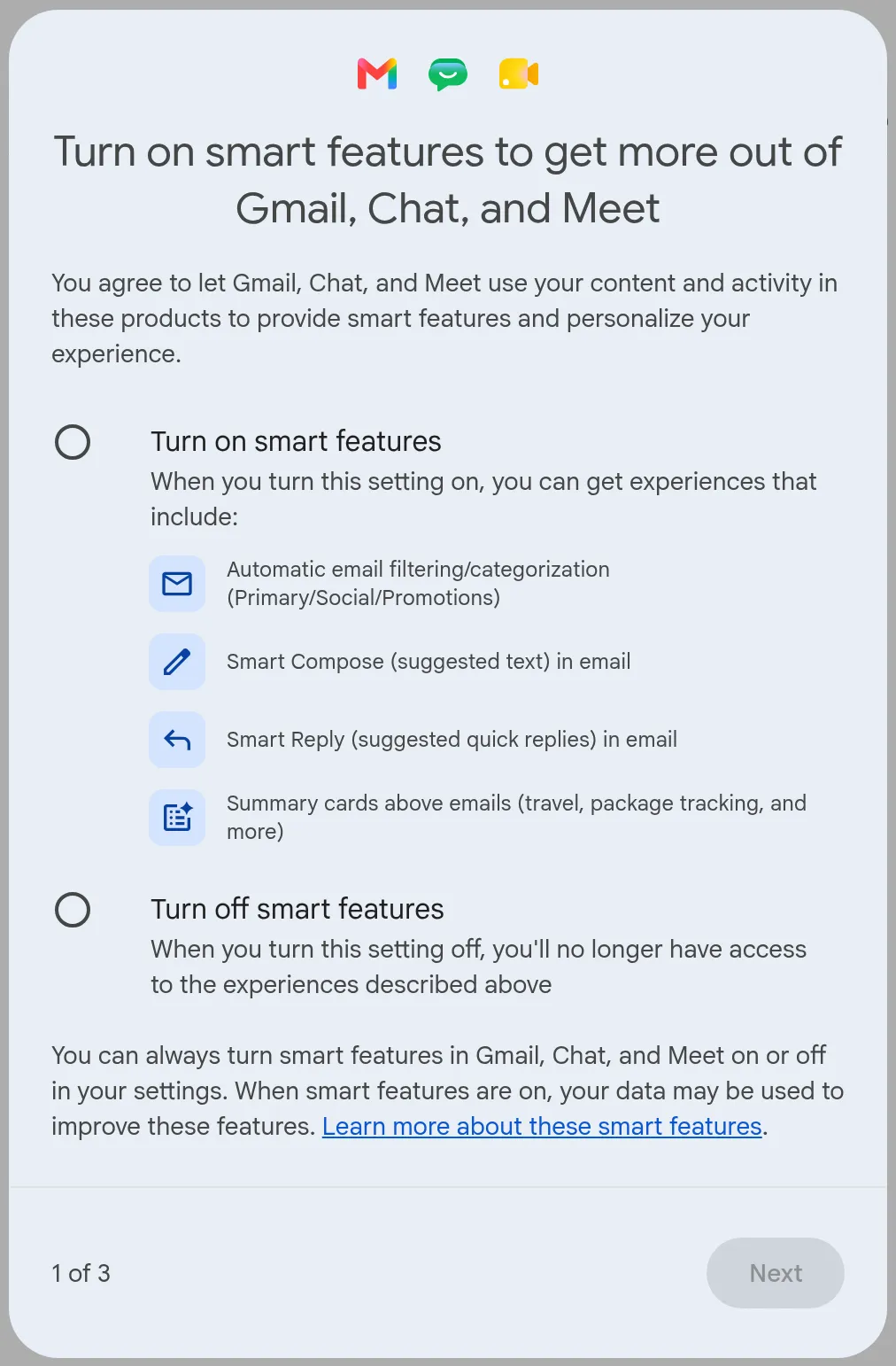
之后要查看或更改这个设置:
-
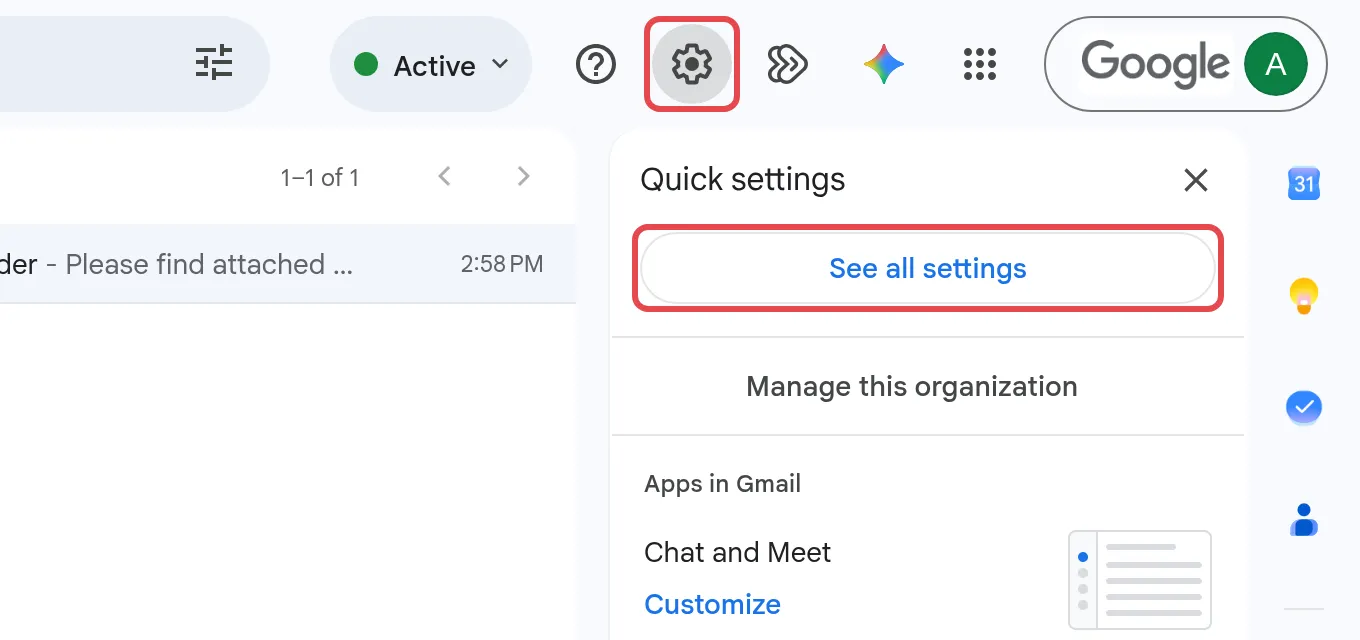
在电脑上打开Gmail,点击齿轮图标,然后点击See all settings。
-
在General标签页,找到Smart features,勾选Turn on smart features in Gmail, Chat, and Meet。

-
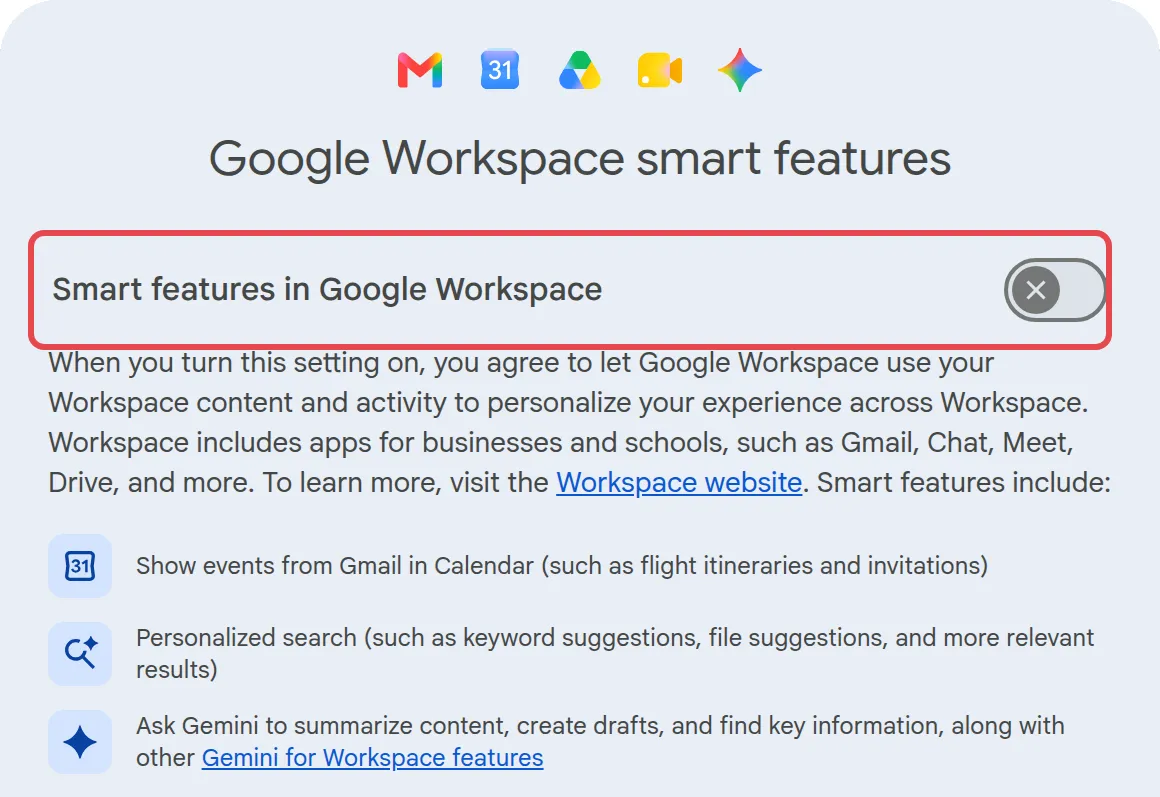
在Google Workspace smart features旁边,点击Manage Workspace smart feature settings。在打开的窗口里,开启Smart features in Google Workspace,然后点击该窗口里的Save。窗口里也列出Smart features in other Google products,使用Gmail里的Gemini不需要开启它。
-
回到设置页面,向下滚动,点击Save Changes。
用Help me write起草电邮
Section titled “用Help me write起草电邮”新电邮、回复或已经开始写的草稿都可以用。
-
点击Compose,或打开一封电邮后点击Reply。
-
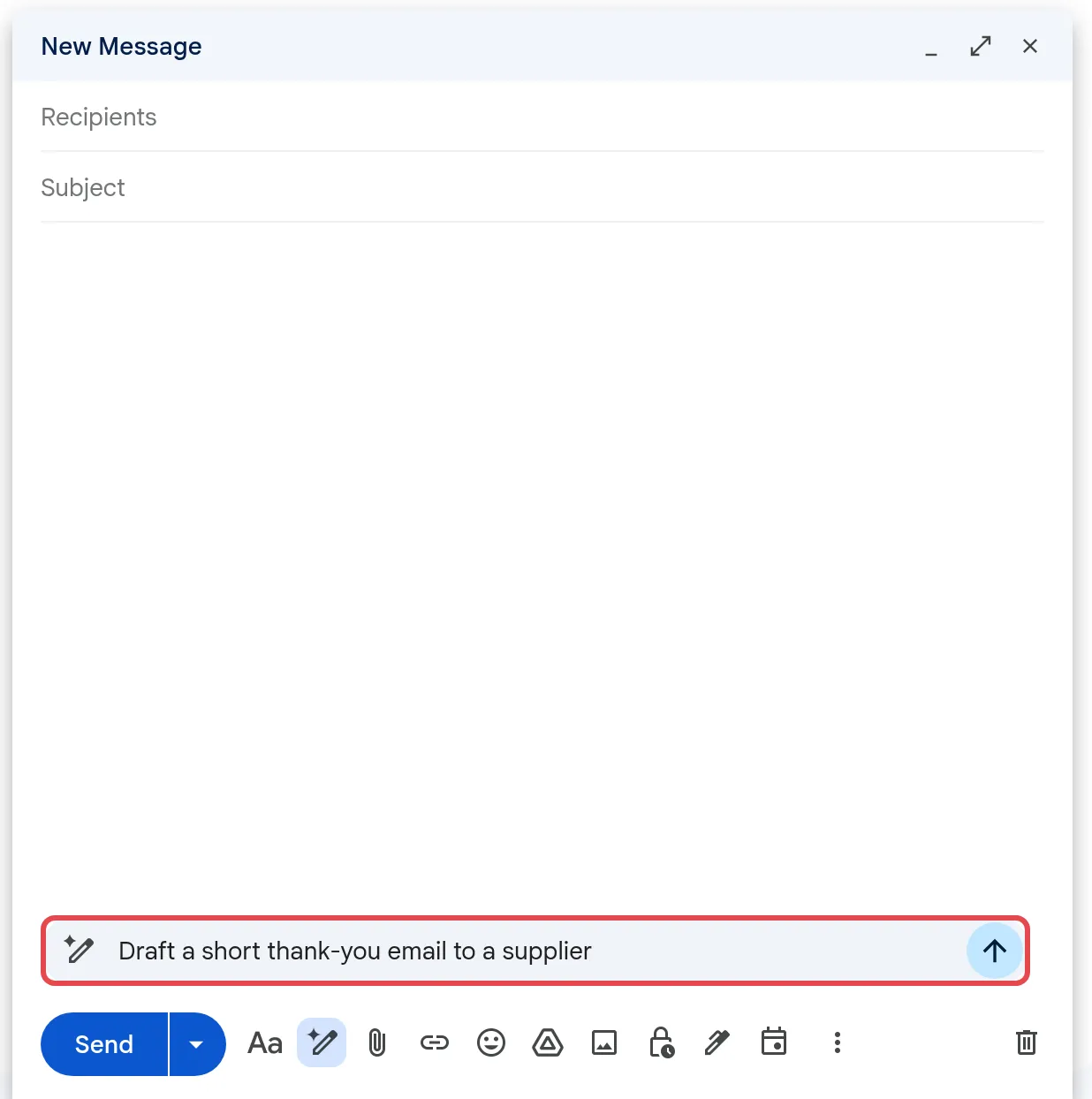
在撰写窗口底部的Help me write提示栏输入你的要求,然后点击Submit箭头。例如:“Thank a supplier for delivering our order on time and confirm payment next week.”
-
没有提示栏?这是因为smart features关闭了。点击底部工具栏的Help me write图标,输入你的要求,再点击Submit箭头。
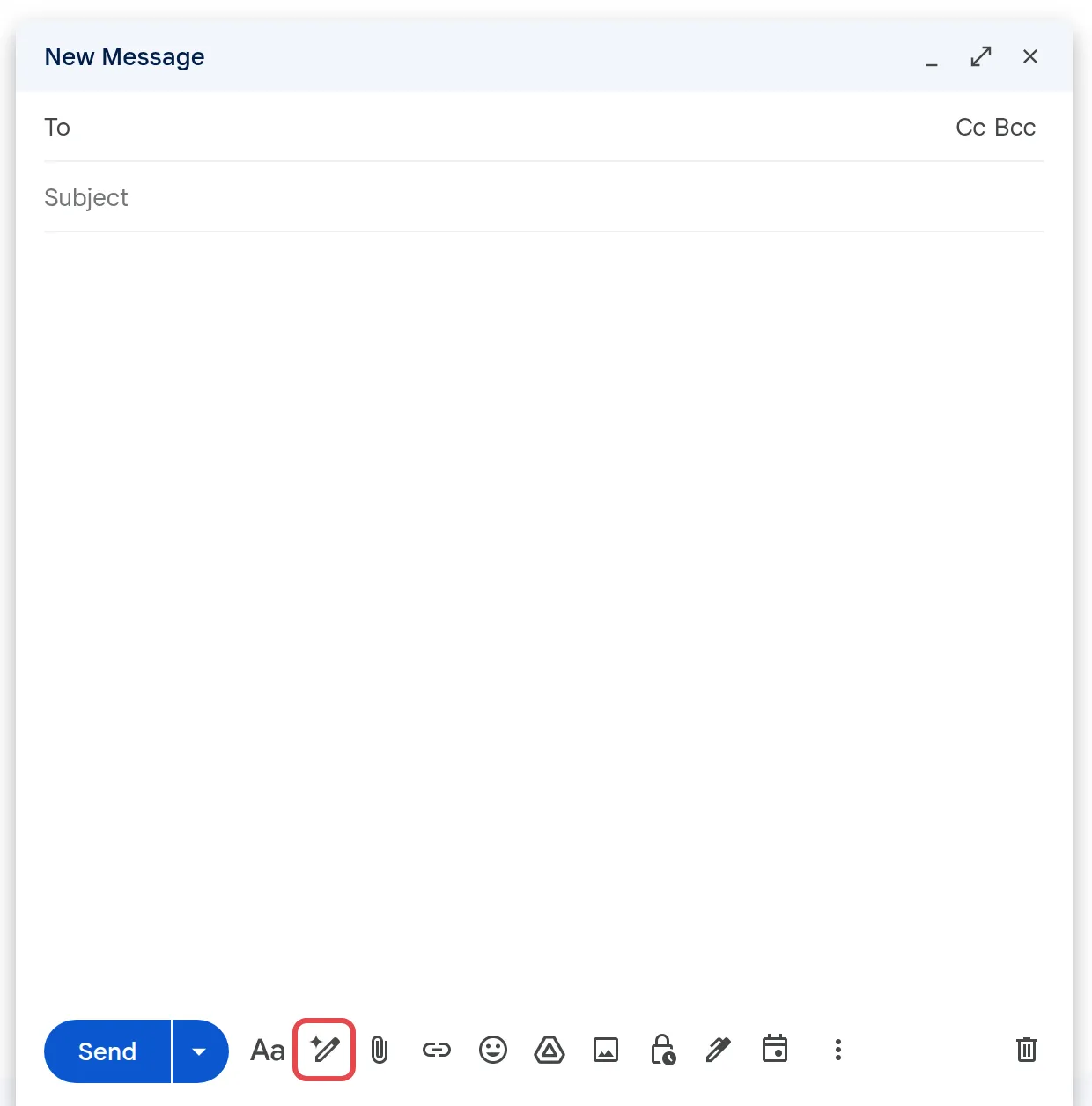
-
Gemini会把草稿写进电邮里。底部的栏现在显示Describe your change和Polish。
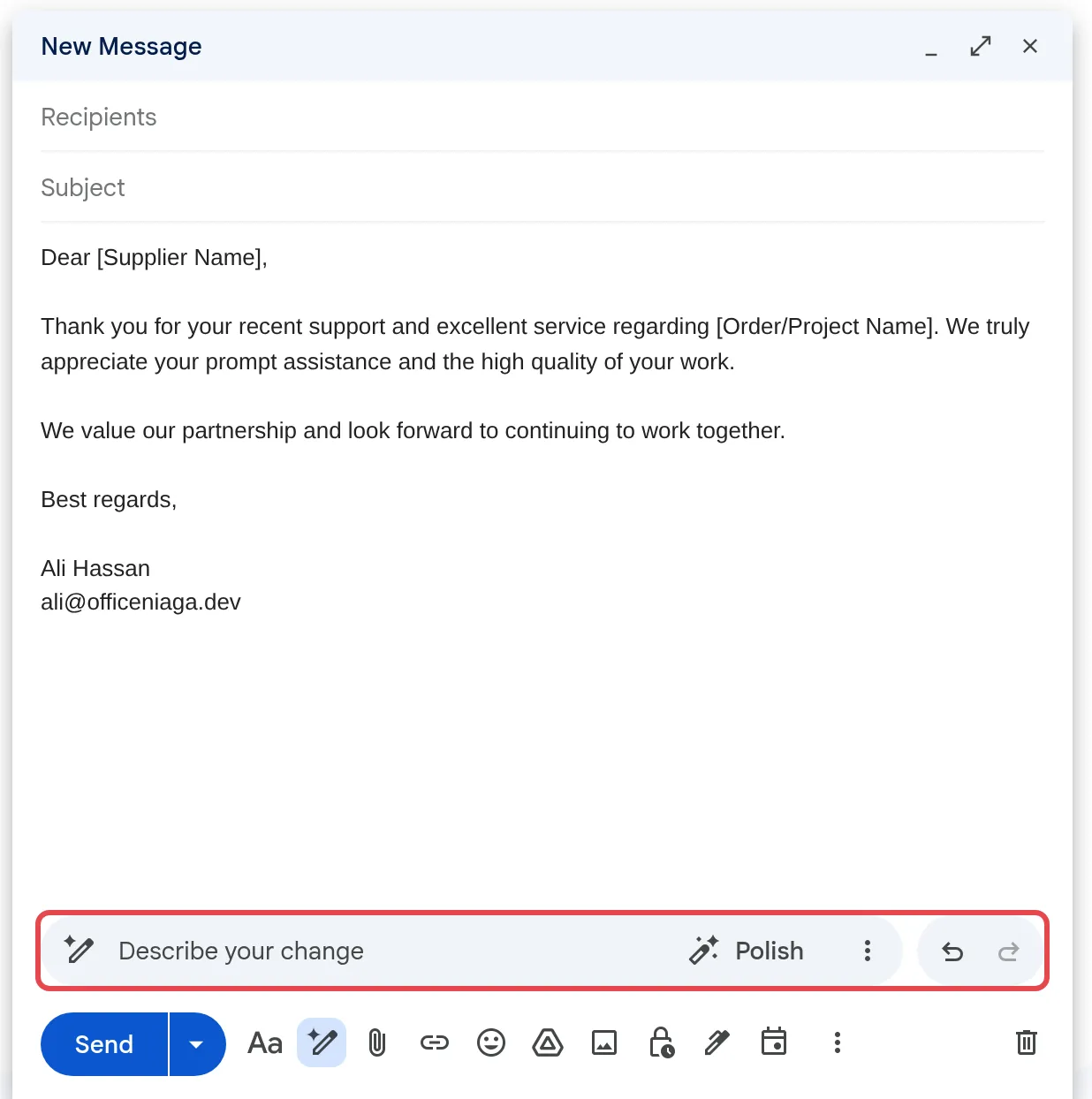
-
阅读草稿。要修改的话,在Describe your change输入新的指示,例如“Make it shorter”或“Mention the invoice number”,或点击Polish。要换语气或长度,点击More options(三个点),然后选择Formalize、Friendly或Shorten。
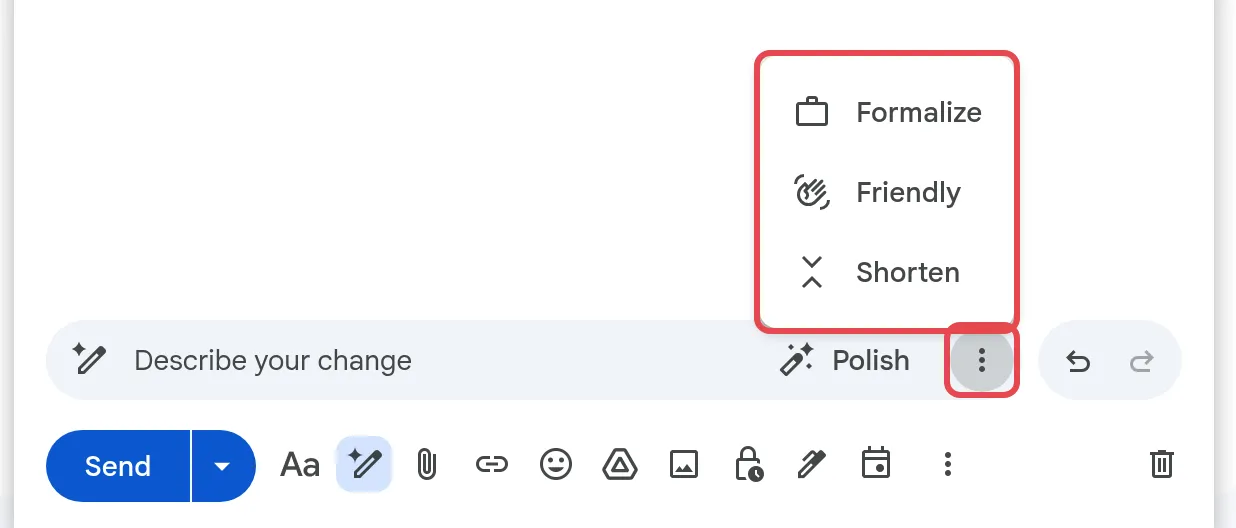
-
修改任何错误的地方,然后照常发送。
要回到之前的版本,点击栏右边的Undo或Redo。Gemini可能会用你其他电邮和Drive文件里的资料来填写草稿,所以发送前请检查名字、日期和数字。
总结电邮或邮件串
Section titled “总结电邮或邮件串”Gemini可以在Ask Gemini侧边栏里总结你打开的电邮或邮件串。
- 打开电邮或邮件串。
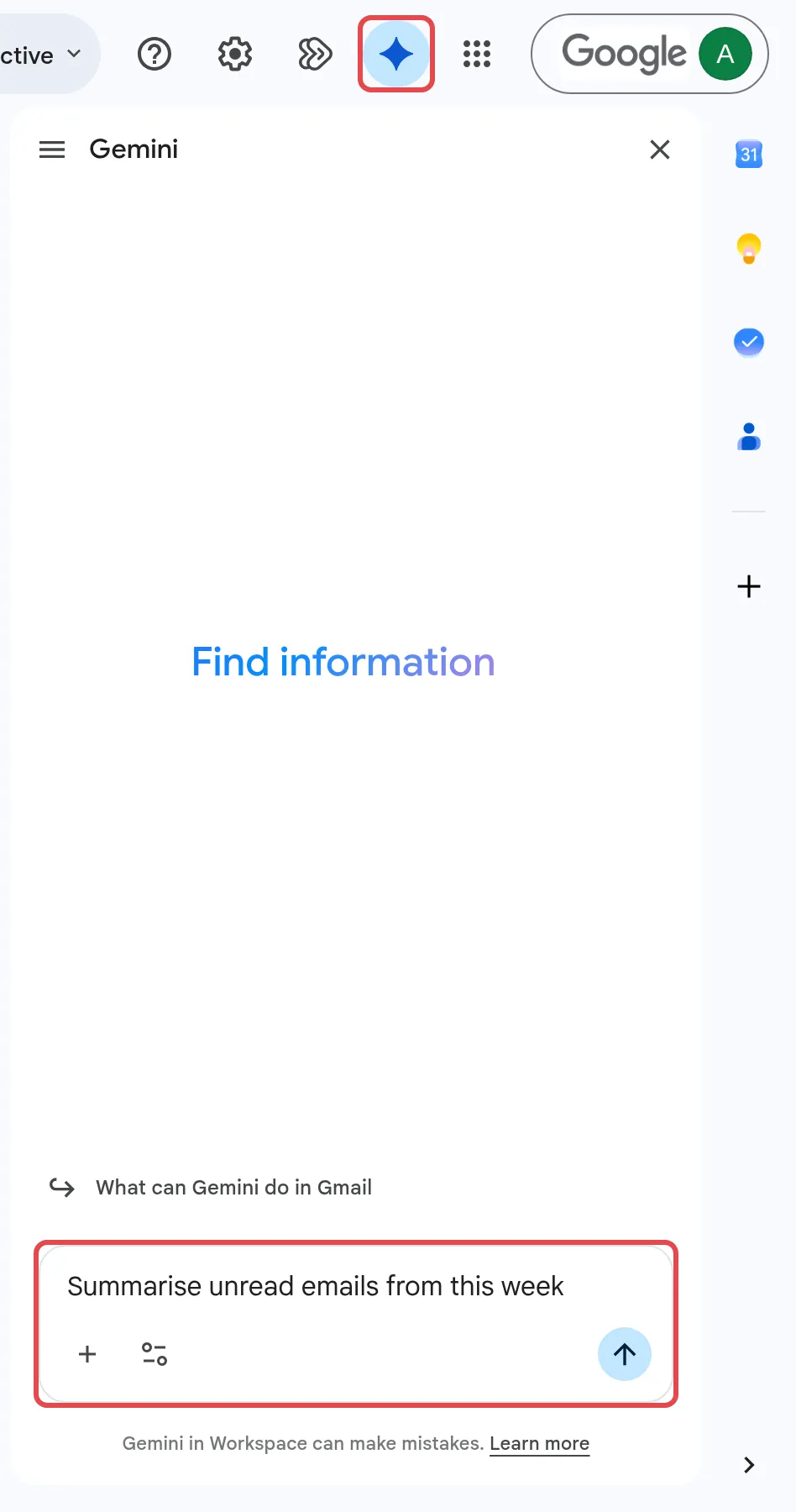
- 点击Gmail右上角的Ask Gemini。
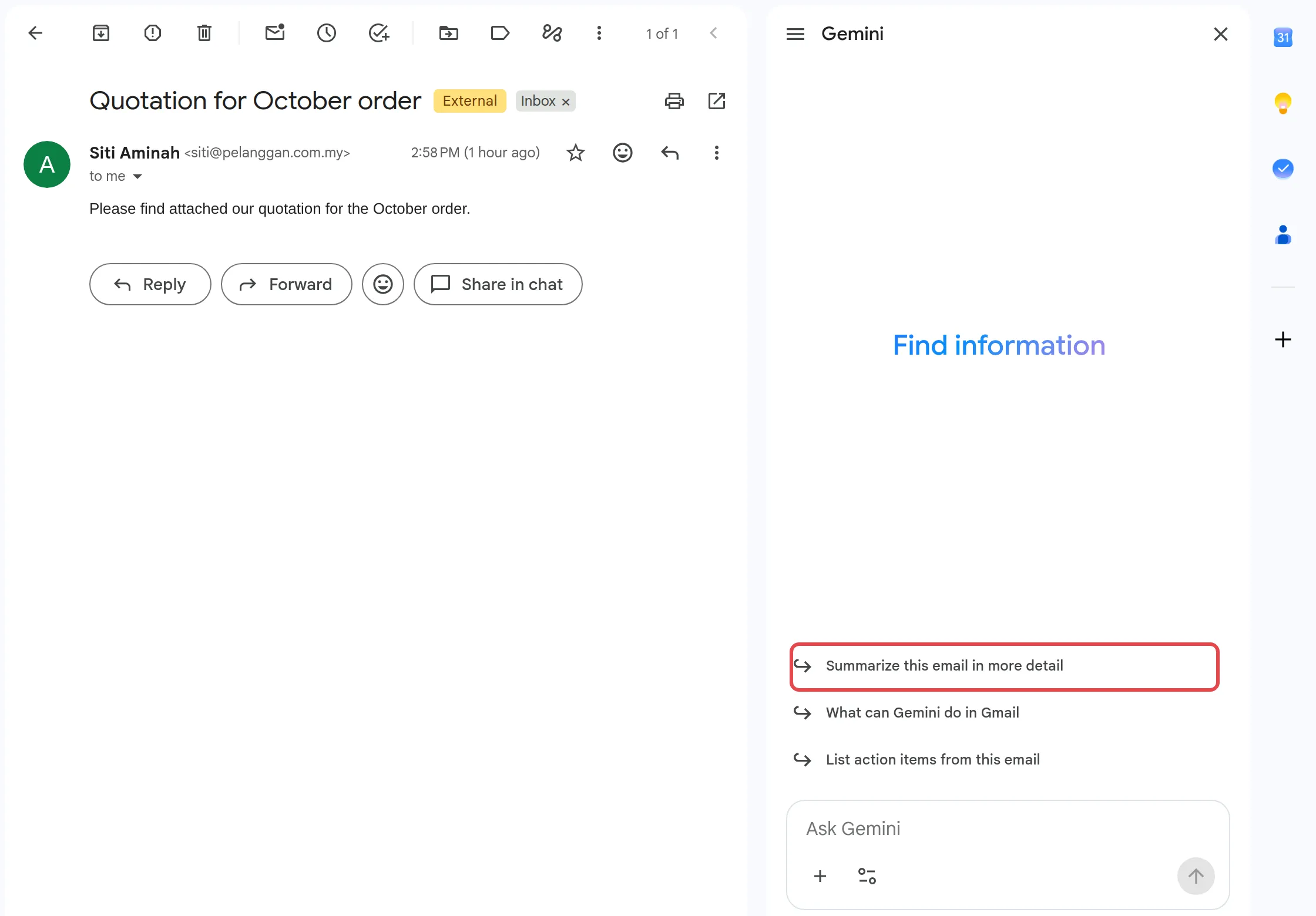
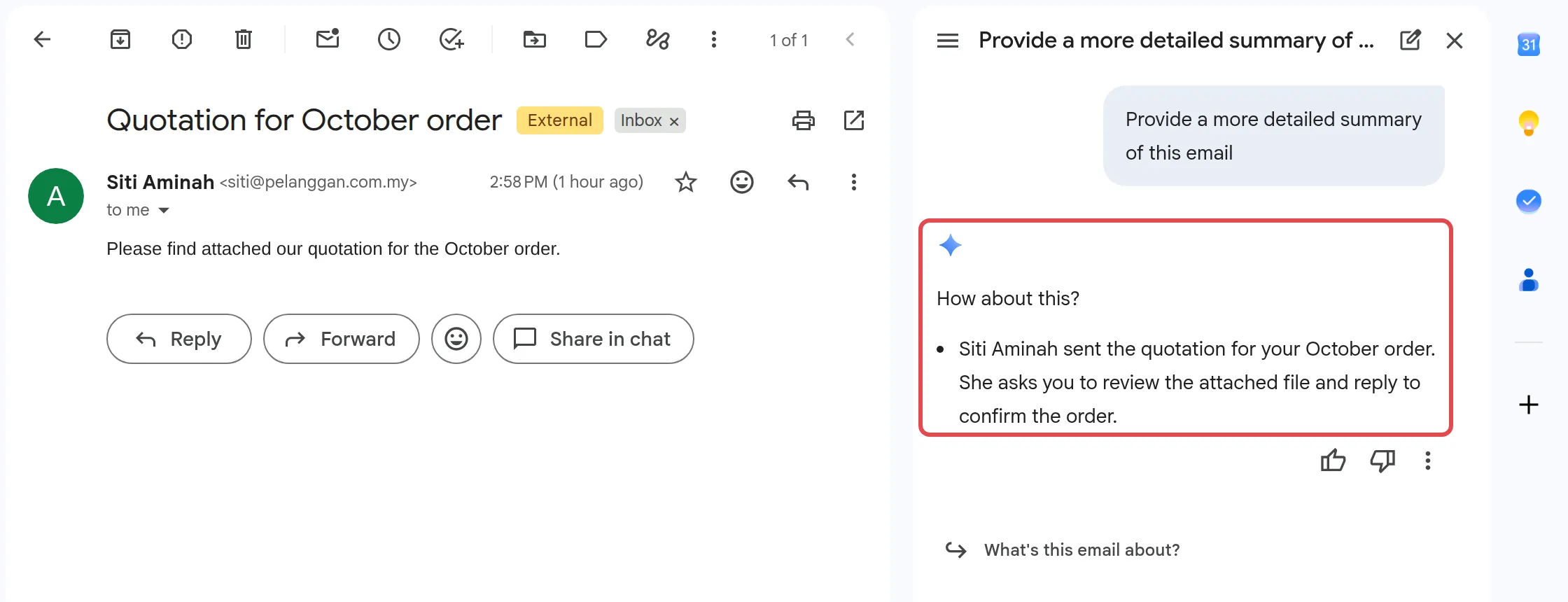
- 在侧边栏里,点击建议的Summarize this email in more detail,或输入你自己的要求,例如“Summarise this thread in three bullet points”。
- 在侧边栏里阅读摘要。
在一些较长的邮件串,Gmail也可能在顶部显示摘要。如果邮件串提到有截止日期的任务,Gemini可能会在旁边显示Remind me,点击后会在Google Tasks和Calendar里添加提醒。
使用建议的回复
Section titled “使用建议的回复”Gemini可以按你平时的语气,建议一个完整的回复。
- 打开你收到的电邮。
- 在电邮底部,点击建议的回复。
- 修改文字,然后点击Send。
只有当你的Google账号语言是英文时,才会出现建议的回复,而且不是每封电邮都有。
向Gemini询问收件箱的事
Section titled “向Gemini询问收件箱的事”其他问题可以点击Gmail右上角的Ask Gemini,打开侧边栏。输入要求,例如“Summarise unread emails from this week”或“When is my next flight?”,然后点击Submit。Gemini只会读取你本来就能看到的电邮。
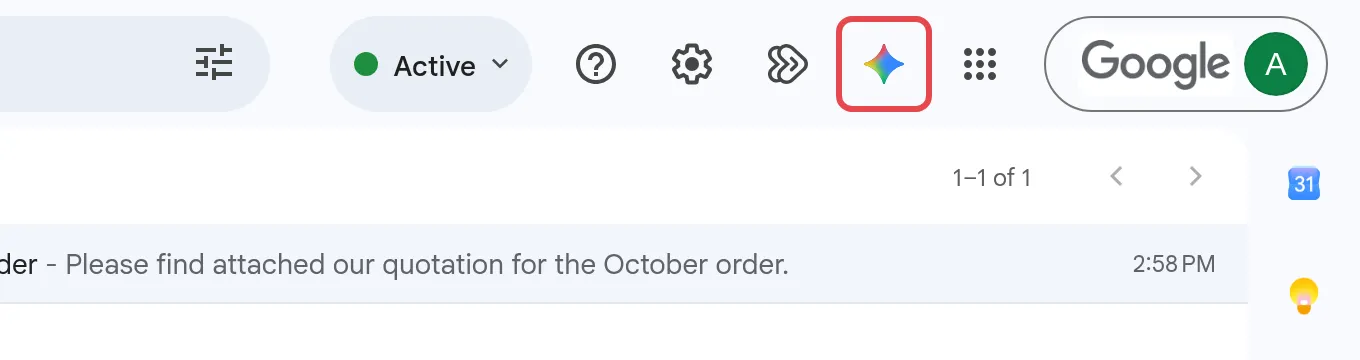
打开电邮时,侧边栏也会为这封电邮建议提示词,例如Summarize this email in more detail和List action items from this email。点击其中一个,Gemini就会在侧边栏里回答。
Gemini可以在草稿里为语法、语气和文风问题加上底线。点击有底线的字查看建议,然后点击建议来接受,或点击Ignore。校对功能支持英文和西班牙文。要停用它,前往Settings → See all settings → General,选择Grammar suggestions off。
请通过WhatsApp联系我们的支持团队:+60 16-916 3324。
常见问题
我看不到Help me write或Ask Gemini,为什么?
请先开启smart features。在Gmail里,前往Settings → See all settings → General,勾选Turn on smart features in Gmail, Chat, and Meet。然后点击Manage Workspace smart feature settings,开启Smart features in Google Workspace,在那个窗口里点击Save,最后点击设置页面底部的Save Changes。如果还是看不到,可能是你的管理员关闭了它。请看开启或关闭Gemini。
Help me write可以用马来文吗?
根据Google的列表,Gmail里的Help me write支持英文和其他几种语言,但暂时还不支持马来文。用英文写提示词,再要求用马来文回复,也许行得通,但请仔细检查结果。
为什么我在Gmail里找不到Help me schedule?
Help me schedule会在电邮里建议会议时间,需要Business Standard或更高级的配套。Business Starter只包含Help me write、邮件串摘要、建议回复和校对。如需升级,请看Licences and renewal。